

Perchance AI Image Generator — No Login
Shuffle subjects, styles, and moods into fresh image prompts in the King AI workspace. Free options need no login; limits apply.
Local generation history
Randomize the Prompt, Not the Result
Explore Perchance AI Style Ideas One Slot at a Time
Three ways to turn Perchance AI random prompt building into useful images. These pictures are illustrative concepts, not recorded generator results.
Build a Prompt From Swappable Parts
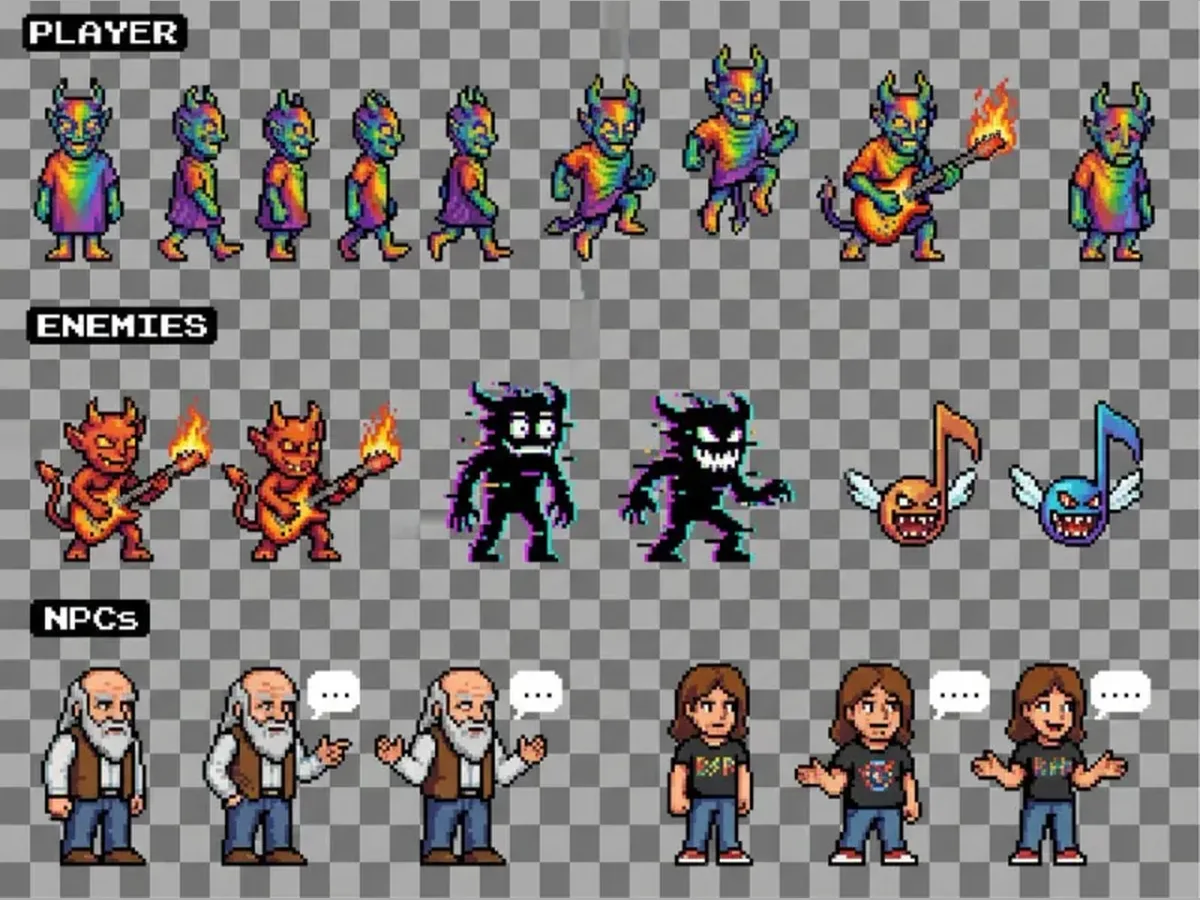
A Perchance AI style prompt is easiest to explore when it is split into slots: subject, action, style, palette, and setting. Fill each slot with a short list of options and change only one at a time. The sprite sheet here shows the idea: one cast, many poses, and every variation still readable as part of the same set. Treat each Perchance AI prompt the same way.
- Five slots, short option lists
- Swap one slot per attempt
- Keep a log of each combination
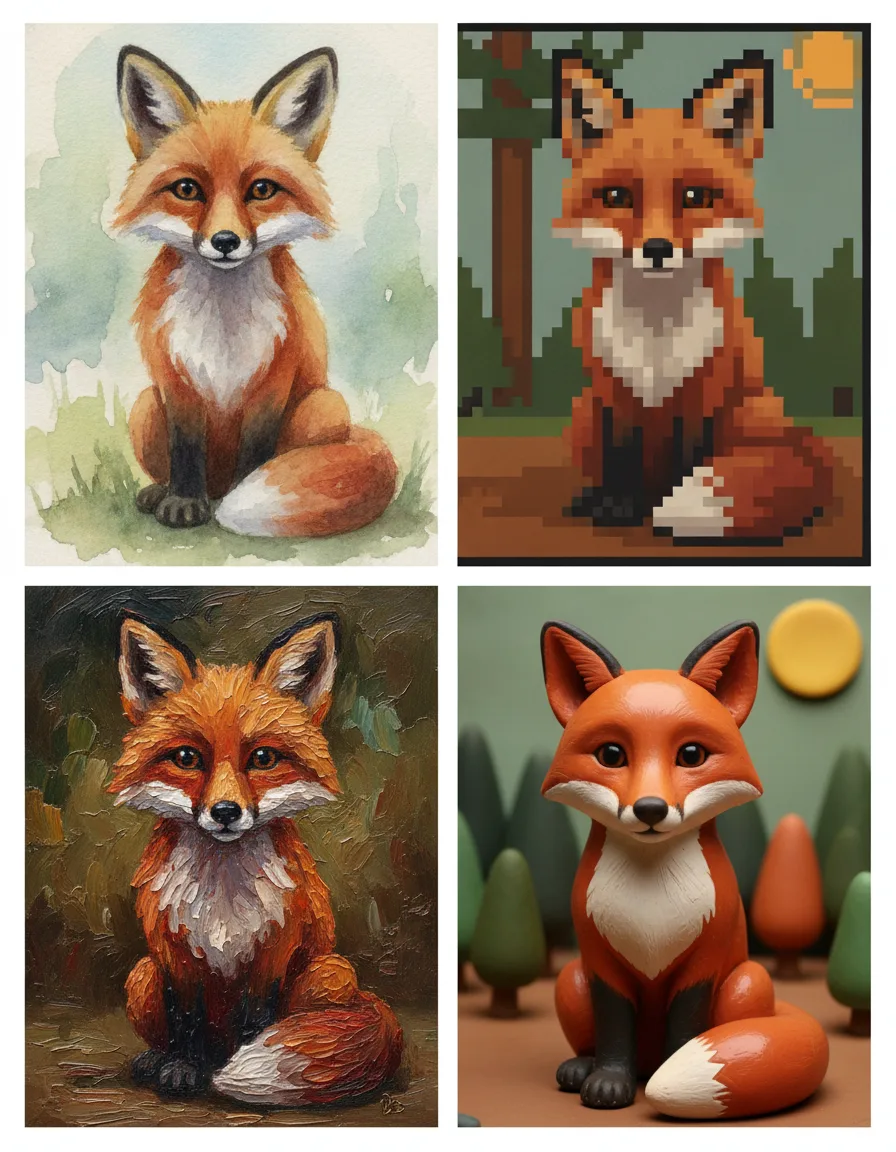
Hold the Subject and Spin the Style
Random style picks are where Perchance AI experiments get interesting. Keep the subject sentence fixed and rotate the style slot through watercolor, ink, pixel art, oil paint, or flat vector. Because nothing else changes, you can see exactly what each Perchance AI style choice does to color, texture, and detail.
- Fixed subject sentence
- One style word per run
- Compare texture and color
Let a Random Mood Reshape the Scene
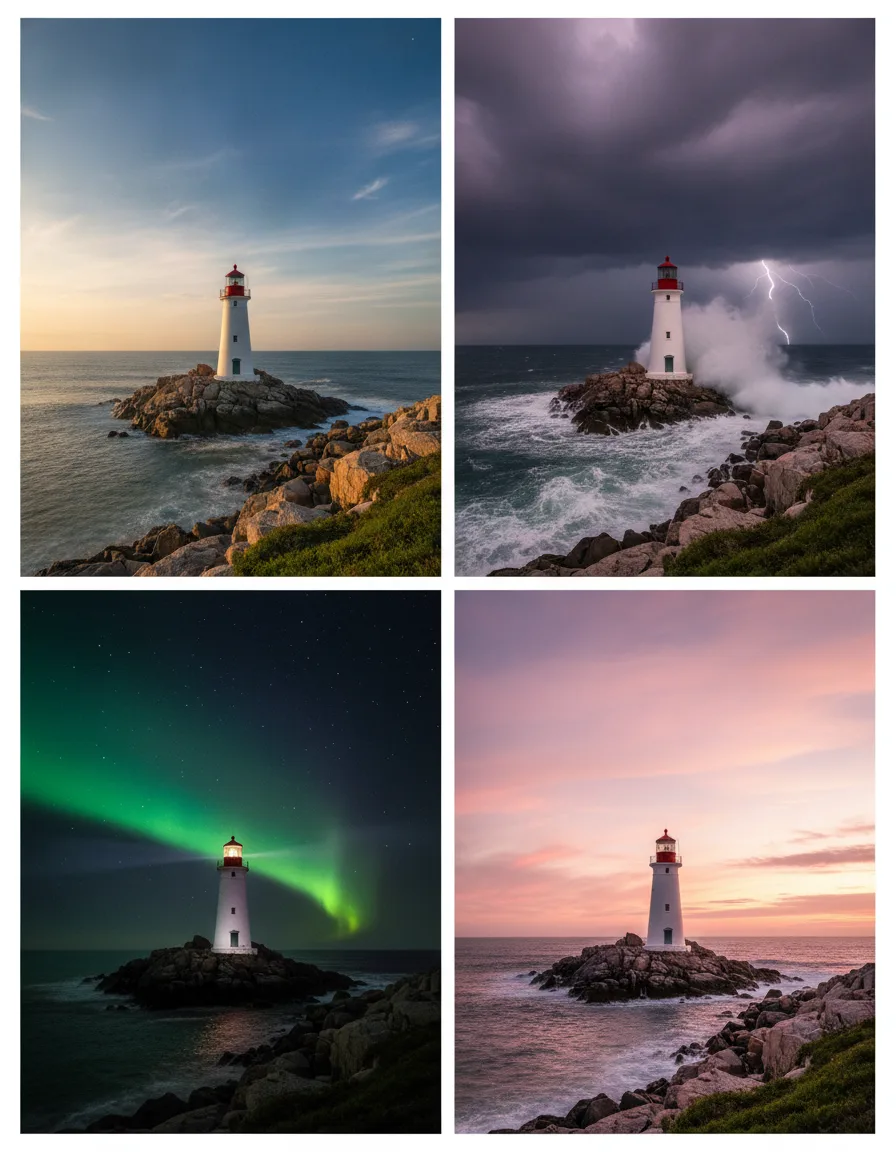
Mood words such as stormy, hushed, festive, or eerie change light and atmosphere more than any other slot. Draw one at random, add it to a stable Perchance AI scene, and judge how the image changes. One Perchance AI lighthouse seen at sunrise, in a storm, and under an aurora shows how much lighting and weather can carry a story on their own.
- Mood changes the lighting
- Weather adds tension
- Scene layout stays stable
A Perchance AI Image Workflow Built on Controlled Randomness
Use the King AI image tools to mix ideas quickly while keeping enough structure to learn from every attempt.
Random Picks With a Paper Trail
Randomness is only useful when you can repeat what worked. Write your Perchance AI option lists in a note, mark which word came from which slot, and paste the final prompt beside the saved image. A Perchance AI result you can trace back to its parts is a result you can build on.
Quick Image Drafts Before Commitment
Image mode is a fast place to test a Perchance AI idea before you spend effort on it. Generate a small batch of drafts, keep the two strongest, and drop the rest. Fast Perchance AI drafts tell you which combinations deserve a careful rewrite and which were only fun to read.
From Still Image to Short Motion
When a random combination produces a frame you like, you can carry it further. Use image to video in the same workspace to add a gentle camera move or a small action to a Perchance AI image. Treat motion as a second step: settle the Perchance AI still first, then decide whether it needs to move.
Turn a Perchance AI Prompt Shuffle Into a Finished Image
From Shuffle to Keeper
Separate the random draw, the generation, and the selection so each step teaches you something.
- 1
Draft Your Slot Lists
Write three to five options for subject, style, mood, palette, and setting. Keep each option short and concrete. Pick one from every list, either by hand or with a dice roll, and join them into a single Perchance AI prompt sentence that reads naturally.
- 2
Generate a Small Batch
Choose image mode, paste the Perchance AI prompt, and pick the aspect ratio you need. Check the displayed allowance before you submit; free access has its own limits and standard models can need an account or credits. Run a few Perchance AI drafts rather than one.
- 3
Keep the Winner and Log the Recipe
Compare drafts at the same size and keep the Perchance AI image that matches your intent, not just the most surprising one. Download it, save the prompt and the slot choices next to it, and reroll a single slot for the next Perchance AI round.
Can I try Perchance AI style images with no login?
Yes, the King AI workspace offers a free image option you can use for a first Perchance AI experiment with no login. Check the current allowance and settings before you submit. Free access is limited, and standard models can require an account or credits. A longer Perchance AI prompt does not change those limits or unlock paid options.
What is a Perchance AI style random prompt?
It is a prompt assembled from interchangeable parts. You keep separate lists for subject, style, mood, palette, and setting, then draw one entry from each. The result is a sentence you might never have written on purpose. That surprise is the appeal of a Perchance AI image generator approach, and structure keeps it from turning into noise.
How many options should each Perchance AI slot have?
Three to six options per Perchance AI slot is a comfortable range. Fewer than three gives you little variety, while long lists make it hard to tell which choice changed the picture. Keep entries the same kind of thing: every style option should be a style, and every mood option should be a mood, so your Perchance AI combinations stay readable.
Why change only one slot between Perchance AI attempts?
Because you learn from differences you can explain. If the subject, the style, and the lighting all change at once, a better image tells you nothing about why it improved. Swap one Perchance AI slot, generate again, and compare. Over several Perchance AI rounds you build a clear sense of which words actually move the result.
Which style words work well in a Perchance AI image prompt?
Concrete media names usually behave better than vague praise. Watercolor, charcoal sketch, pixel art, linocut print, isometric 3D, and flat vector illustration each describe a visible technique. Words like epic or stunning add little on their own. Pair one medium with one palette in your Perchance AI prompt for the most predictable outcome.
How do I write a good Perchance AI subject slot?
Give the subject a noun, a detail, and an action: an old lighthouse keeper mending a net, or a small robot watering plants. That is enough for the model to compose a scene without crowding it. Avoid naming real people or protected characters, and describe original subjects you have the right to use in your Perchance AI drafts.
Can I turn a Perchance AI image into a short video?
Yes. Once a still is ready, switch to image to video in the same King AI workspace and describe one simple motion, such as drifting clouds or a slow push-in. Keep the movement modest at first. A calm, readable Perchance AI frame usually animates more cleanly than a busy one packed with tiny details.
Which aspect ratio should I pick for Perchance AI images?
Choose the ratio for where a Perchance AI image will live before you generate. Square suits profile art and grids, vertical 9:16 fits phone screens and stories, and 16:9 works for banners and desktop wallpapers. Write the composition to match, because a wide Perchance AI scene can lose its main subject when cropped to a tall frame.
How should I compare several Perchance AI results?
View them at the same size and ask the same question each time: does this match what the prompt asked for? Check faces, hands, edges, and any text first, since those break most often. Keep the Perchance AI image that is clear and on brief, and write down which slot choice produced it.
Which settings are available for Perchance AI style images here?
The King AI workspace shows the models, aspect ratios, and other controls for the selected mode, and options can differ between free and standard access. Check those controls directly before each Perchance AI session. The random slot method lives in your prompt notes, not in a separate menu, so it works with any model you can use.
What if a Perchance AI attempt fails or the quota runs out?
Read the message in the workspace before rewriting anything. A quota notice, a busy service, or a failed task is not a sign that your prompt is wrong. Save your slot lists and the last Perchance AI prompt locally, use the recovery options shown, and avoid resubmitting the same request repeatedly while the service is busy.
How do I save and reuse a Perchance AI prompt recipe?
Download the image you choose, then store the prompt, the slot entries, and the ratio in one note or file name. Next time, start from that recipe and reroll a single slot. Over a few sessions your Perchance AI recipes become a personal library of combinations that you know will produce usable images.