




Kling Image 4.0 AI Image Generator
Open Image, describe a bowl, a cloth, or a pack, and generate with the model name printed on the form.
Local generation history
Bowls, Cloth, and Pack Faces
Generate Kling Image 4.0 Stills of Bowls, Cloth, and Packs
Kling Image 4.0, on this page, is the King AI image generator for stills you can judge: a speckled bowl, a cloth close-up, or a pack face with readable words. The pictures below were made for this guide. They are not files from the workspace. Open Image, write the prompt, and generate with the image model and the controls the form is showing. Read that model name before you submit. Account credits apply when the selected row is marked for paid use. Clips stay on the Kling video page.
Generate Harbor Bowl with the Name on the Card
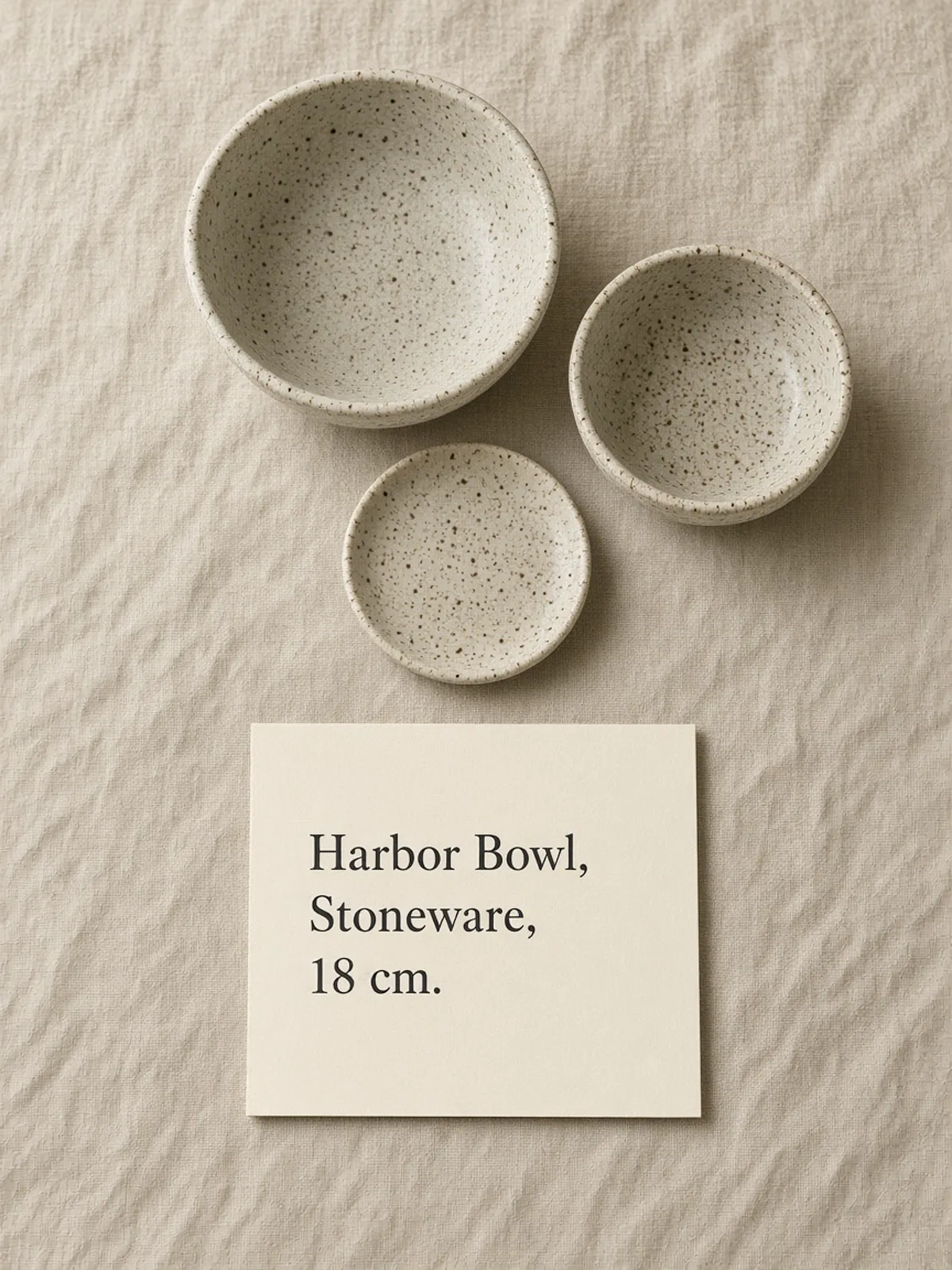
This Kling Image 4.0 generation is two speckled bowls and a small plate on linen, with a cream card under them: Harbor Bowl, Stoneware, and 18 cm. Ask for a matte oatmeal glaze and for those three lines to sit on the card. Submit that prompt in Image on its own. When the Kling result returns, read Harbor Bowl at phone size. If a character breaks, shorten the card line and generate again before you add another dish.
- Put the product name on the card
- Keep the size line smaller
- Read the glaze along the rim
Generate Three Weaves in One Even Light
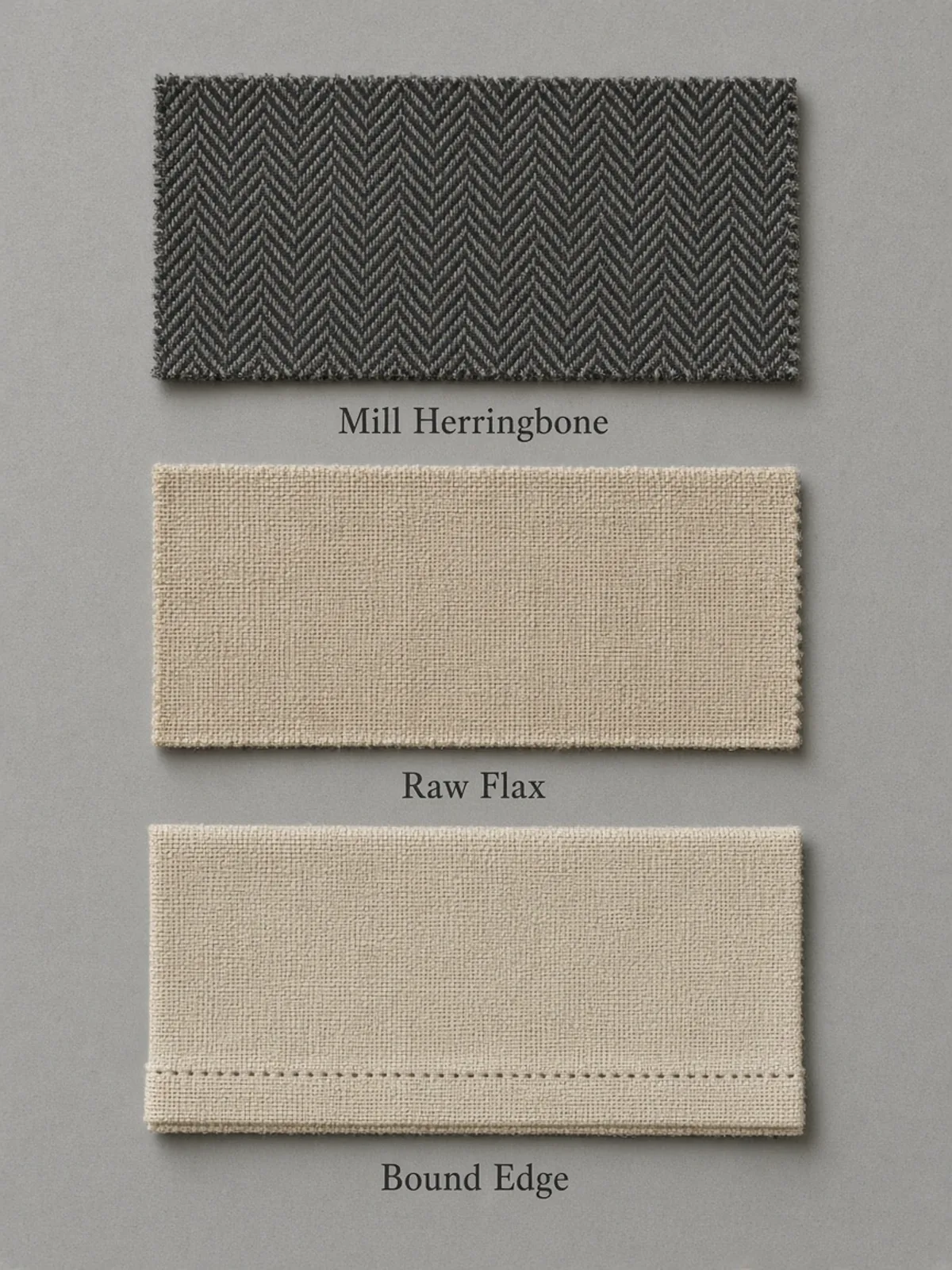
This Kling Image 4.0 generation stacks three swatches on a gray board. Mill Herringbone is charcoal wool, Raw Flax is slubby linen, and Bound Edge shows a stitched hem. Name each cloth once, then ask for the same light and the same distance. Generate that fabric still on its own. Cover two swatches and look at one. The Kling result misses when the herringbone goes plain, or when a label leaves its cloth.
- Name each weave once
- Keep the light shared
- Check one swatch with the others covered
Generate Cedar Bar on the Carton and the Strip
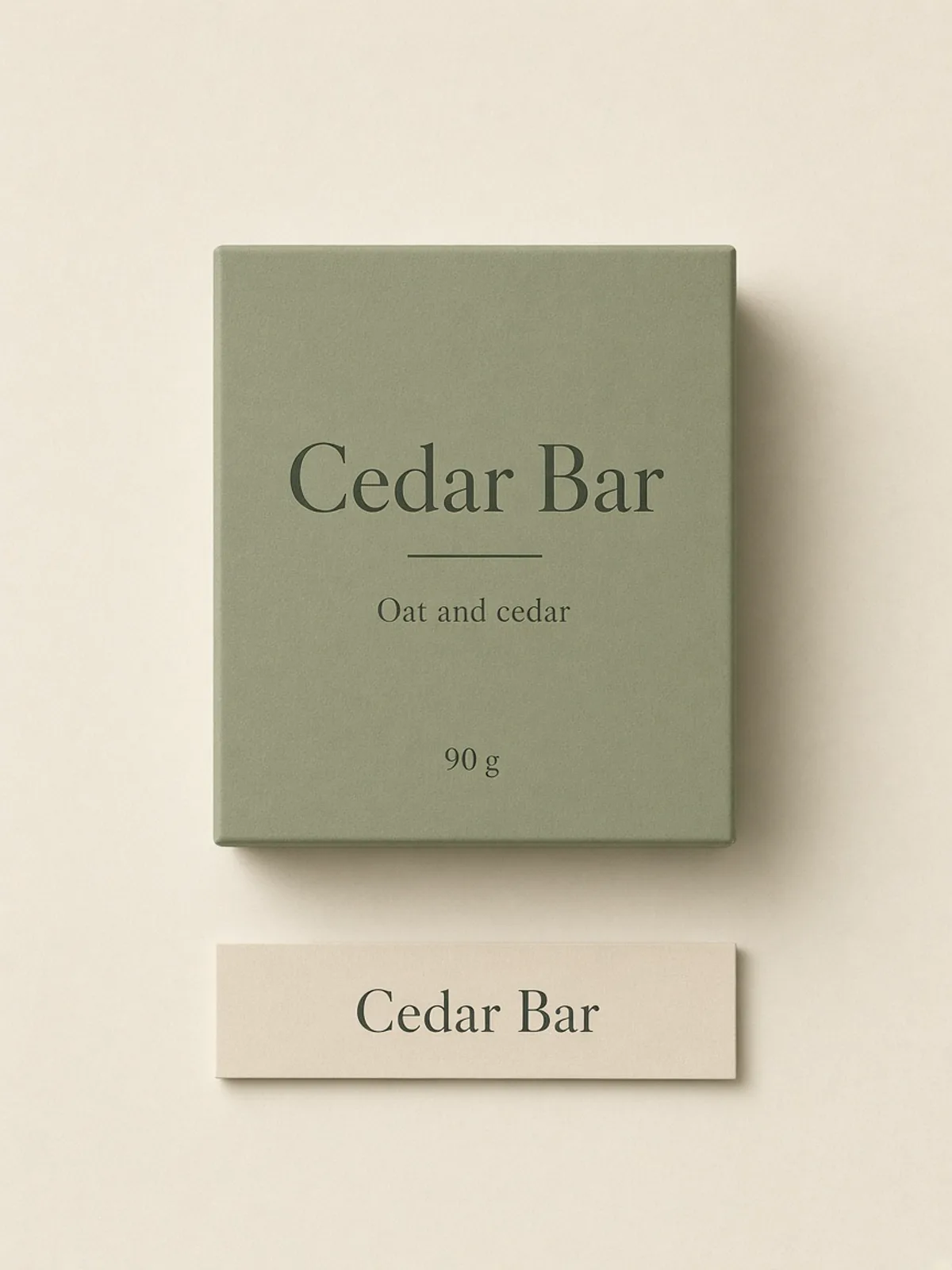
This Kling Image 4.0 generation is a sage carton on warm paper, front face up. It reads Cedar Bar, then Oat and cedar, then 90 g. A shelf strip under it repeats Cedar Bar. Ask the carton to stay flat, with the scent and the weight still on the face. Generate that pack still on its own. A Kling result misses when the strip invents a second product, or when the weight leaves the carton.
- Keep the carton face flat
- Repeat only the product name
- Check the weight on the carton
What a Kling Image 4.0 Generation Has to Show
Three Kling checks turn a vague product prompt into a still you can keep or run again.
The Glaze Sits on the Rim
A Kling Image 4.0 material check is local. On Harbor Bowl, read the speckled oatmeal glaze on the rim, not the linen mood. Say the clay is matte and the speckles are small. A white smear means the glaze has gone plastic. Keep the Kling result only when the rim still looks like fired clay.
The Words Sit on the Carton
A Kling Image 4.0 pack face is print on a carton, not a caption added later. Cedar Bar is the large line. Oat and cedar and 90 g sit under it. Write those lines in the prompt, and let the shelf strip repeat only the name. Warm paper may sit underneath while the letters stay clear of the shadow.
Each Still Is Its Own Run
A Kling Image 4.0 set is three separate generations: the bowl, the fabric row, and the pack flat. You can ask each one for soft light and a quiet ground. You do not ask one prompt to return the whole group. Generate them apart, then put the Kling results side by side.
Run a Kling Image 4.0 Still from the Image Form
Prompt, Generate, Then Review
Write the subject, generate in Image, then review the file against the model name the form showed. Each Kling prompt is one Kling still.
- 1
Generate the Bowl and the Card
Write Harbor Bowl, Stoneware, and 18 cm on a cream card. Two bowls and a plate sit on linen, and the oatmeal glaze stays speckled. In Image mode, read the model name on the form, then generate this ceramic prompt alone. The Kling video page is not this step.
- 2
Generate the Three Weaves Apart
Write Mill Herringbone, Raw Flax, and Bound Edge before the gray board. Each cloth can be its own Kling Image 4.0 still so a mismatched weave is easy to see. Shared light belongs in the prompt, not in a request for several files from one submission.
- 3
Keep the File After the Pack Face Agrees
Put the returned file beside the pack prompt. Read Cedar Bar on the carton, the scent and weight under it, and Cedar Bar on the shelf strip before you judge the paper. Download the Kling result from the result controls when those readings agree. If one of them fails, change that phrase and generate the pack still again.
What does Kling Image 4.0 mean on this page?
Kling Image 4.0 names this image generator: stills of materials, pack faces, and shelf lines that you generate and then review. Kling AI published a public note on 17 November 2026 about an image model with this name, separate from its video models. This workspace image menu has no Kling image row. Generate with the image model and the controls the form is showing. The note is at https://kling.ai/blog/kling-image-4-stunningly-realistic-sharp-precise
How do I ask a Kling Image 4.0 prompt for the card?
Put the words in the sentence as type on a card. For the ceramic generation the lines are Harbor Bowl, Stoneware, and 18 cm. Add the linen and the speckled glaze after the words, and say which line is larger. A Kling prompt that leads with mood and hides the words is harder to review.
Will a Kling Image 4.0 result spell the pack correctly?
Read the spelling yourself. No Kling prompt can certify a finished carton. Check Cedar Bar, Oat and cedar, and 90 g at publish size. If a character breaks, shorten the line or set the words in a layout tool after the Kling download.
Can one Kling Image 4.0 prompt return a whole set?
Generate each still on its own prompt. The fabric row may share one light, and the shelf strip may repeat only Cedar Bar, but those are instructions inside separate runs. One submission is not a matched group of pictures. Compare the Kling results after they return.
Which image models can run a Kling Image 4.0 prompt?
Image mode shows the rows in this session. Expect Grok Imagine Image 2, Qwen Image 3, Qwen Image 3 Pro, Seedream 5 Pro, GPT Image 2, Nano Banana 2, Nano Banana Pro, Flux 2 Pro, and Flux 2 Flex. A Kling image row is not among them. Choose one name and read the credit line beside it. The Kling video page lists video models, and those rows do not generate this still.
What frame and size suit a Kling Image 4.0 still?
Use a size the selected row lists. Where a row offers one, the choices are 1K, 2K, or 4K. Some rows keep a default and show no size menu. Pick a ratio that row offers, and keep the Kling card and the shelf strip off an edge a crop might cut.
What can I attach to a Kling Image 4.0 generation?
The selected row prints its count, file size, and file types. Attach a picture you may use, with the glaze, the weave, or the pack face large enough to judge. A photo of the Harbor Bowl card beats a collage. Stay inside the prompt length printed for that row. A missing control is outside that Kling generation.
How do I compare two Kling Image 4.0 generations?
Save the prompt with the model name the form showed and the ratio you chose. Change one decision: the Harbor Bowl size, the number of swatches, or the shadow under the carton. View both Kling results at the same size and keep the Kling file that matches the prompt.
What if a Kling Image 4.0 generation cannot run?
Read the message on the form before you rewrite the picture. A credit notice, a sign-in prompt, an unavailable row, or a failed request is an access result. Your Kling prompt can wait. Do not send the same ceramic, fabric, or pack prompt again until the form allows a new generation.
How is this Kling Image 4.0 page different from the Kling video page?
The Kling video page generates clips. This page generates stills. Open the Kling video page for motion, and stay here for a bowl, a weave, or a pack face. Seedream is another image page, aimed at shop lettering, a repeated motif, and a close material study. Use this Kling generator for tableware, fabric close-ups, and pack flats.
How should I review words on a Kling Image 4.0 result?
After the file returns, read Harbor Bowl, the fabric labels, and Cedar Bar at publish size. Record the model name the workspace shows beside the prompt. If a letter fails, correct the type in your layout tool. A clean Kling result is a study file, not a finished shelf print.
Where does a Kling Image 4.0 generation finish?
Download each file from the result controls and keep the prompt beside it, with the model name the form showed. Line up the bowl, the fabric row, and the pack flat, and keep the files that match the prompt. Shelf type for a real product belongs in your layout tool. A clip of the same product belongs on the Kling video page.