






Seedream 5.5 Still Planning for Lettering and Surfaces
Shape shop lettering, a repeated motif, and close material detail, then open Image and read the model name before you generate.
Lettering, Motif, and Surface
Plan a Seedream 5.5 Still Around Words, Repetition, and Material
A Seedream 5.5 still, on this page, is a planned image checked for readable lettering, a motif that repeats, and material that still looks specific up close. These pictures were drawn for this guide, not pulled from the workspace. When you try a Seedream brief, open Image: the Seedream row is labeled Seedream 5 Pro and uses account credits when that row is available.
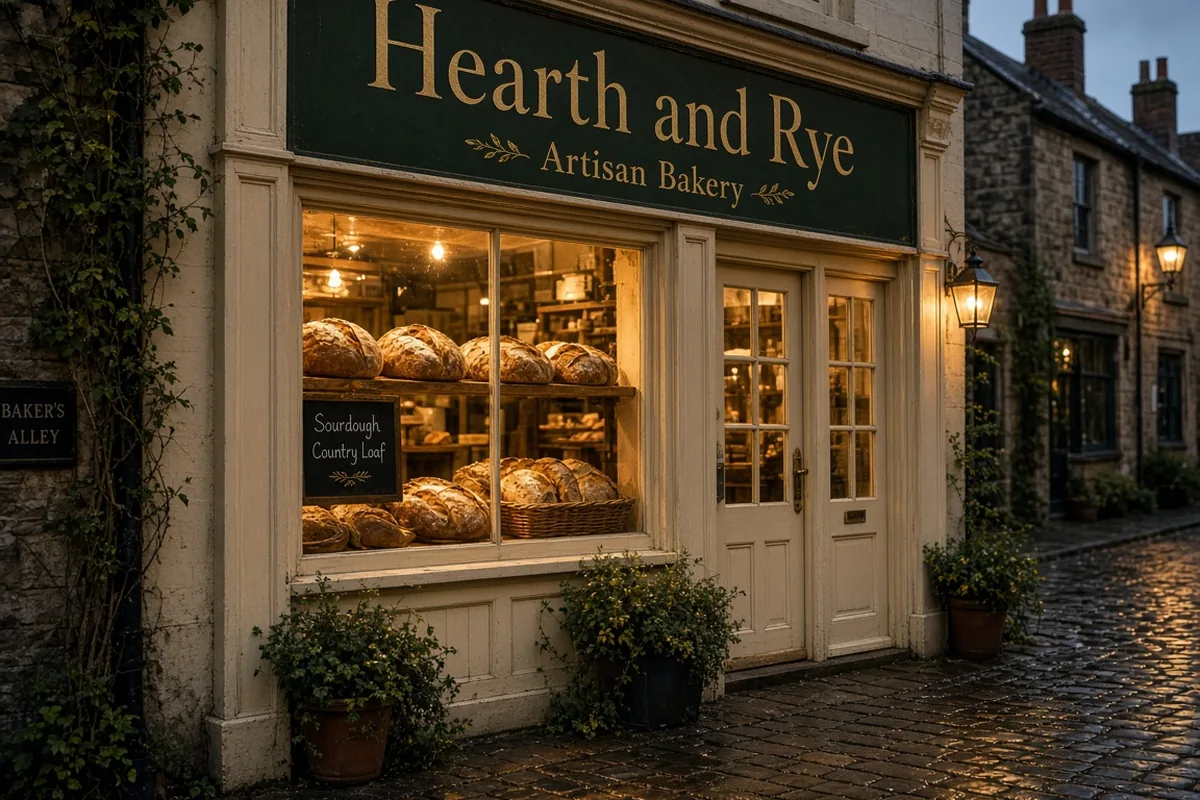
Hold the Bakery Name Together in Dusk Window Light
This Seedream lettering study starts on a wet evening street. A dark fascia carries Hearth and Rye in large letters, with Artisan Bakery beneath it. Warm window light falls on the loaves, and the cobbles throw that glow back toward the sign. Write the Seedream brief so the lines have different sizes and the larger name sits on the board. Wet stone must not bleach the letters. Read both Seedream lines at phone size. If a character melts into the paint, simplify the street before you add more loaves.
- Give the shop name its own line
- Keep the trade line smaller
- Check letters against the wet reflection
Keep the Same Crane on Silk, Cuff, and Swatch
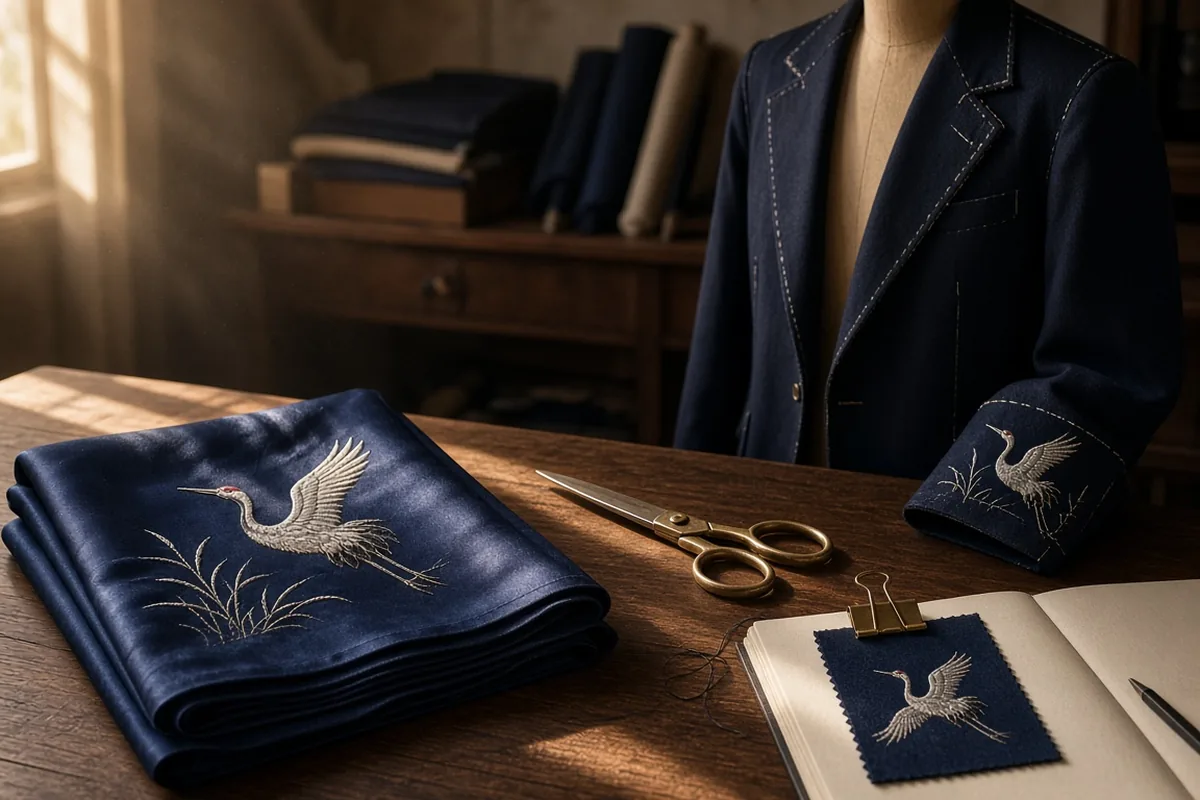
This Seedream motif study is a tailor table in side light. Folded indigo silk shows a crane with lifted wings above reeds. The same bird has to appear on the jacket cuff and on a clipped swatch. Scissors may sit nearby, but they are not the test. In the Seedream brief, describe the bird once: wings, beak, pale thread, and reeds. Then name the three surfaces that must carry that drawing. Cover two objects and look at one. A Seedream frame misses this study when the cuff bird grows a new pose or the swatch loses the reeds.
- Describe the bird a single time
- Name every surface that repeats it
- Compare one object with the others covered
Test Brass, Water Beads, and a Ginkgo Leaf
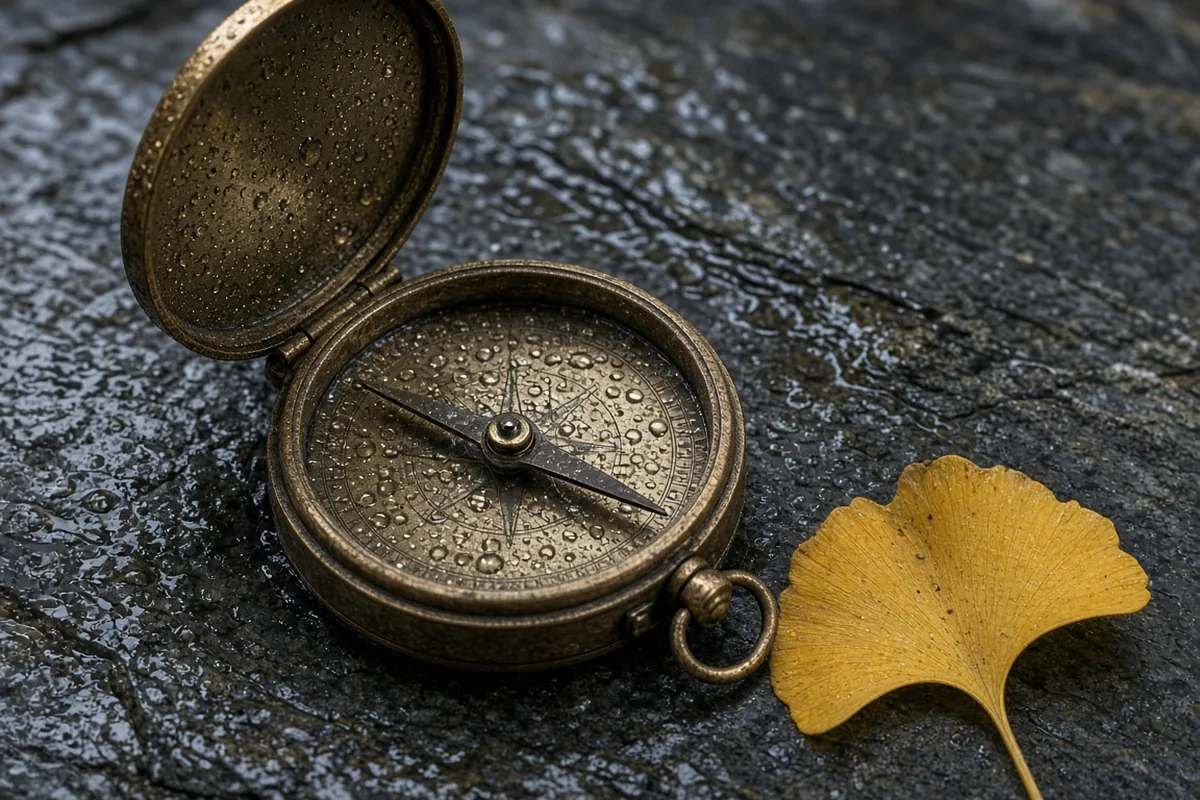
This Seedream material study is a quiet still life. An antique brass compass sits half open on wet slate, lid raised and beaded with water. A yellow ginkgo leaf lies beside it, veins visible. The Seedream brief should separate metal, stone, and leaf. Ask for droplets on the lid, a narrow highlight, and thin veins. Crop until the beads and the veins are the subject. Keep the Seedream still only if the brass reads as worn metal, the water sits on a surface, and the leaf keeps its fan.
- Separate metal, stone, and leaf
- Keep droplets on the compass lid
- Read the veins at a close crop
What a Seedream 5.5 Brief Has to Decide
Three Seedream checks turn a vague request for a pretty picture into a still you can accept or reject.
Lettering Is Part of the Architecture
A Seedream shopfront is paint or metal on a board, not a caption pasted on afterward. The name and the smaller trade line share that board without colliding with the window. Write the exact words, which line is larger, and the light that crosses them. Warm lamps and a wet street help only while the Seedream letters stay separable from the glow and the reflection.
Repetition Is a Test, Not a Mood
A Seedream motif is one drawing asked to survive more than one object. In the tailor study that drawing is a crane: wings, beak, reeds, and thread color. The Seedream brief should say what may change, such as the fold of the silk, and what may not, such as the bird. A new pose on the cuff is a failed repeat.
Materials Fail in Small Places
A Seedream surface is convincing only where the material lives. Brass becomes plastic when the highlight is a white smear. Water looks stuck on when a bead misses the lid. A ginkgo leaf goes flat when the veins disappear. The Seedream check is local: lid, bead, and vein.
Order the Seedream 5.5 Still the Way the Picture Breaks
Lettering, Then Motif, Then Surface
Start where a still usually breaks: the words, then the repeated drawing, then the close material. Submit that Seedream brief in Image after those decisions are written down.
- 1
Fix the Words and the Board First
Write Hearth and Rye and Artisan Bakery as two lines with two jobs. They sit on a dark fascia above a lit bakery window at dusk, and the wet cobbles may reflect the window without covering the Seedream letters. In Image mode, choose Seedream 5 Pro when that label is listed, then submit this shopfront prompt on its own.
- 2
Lock the Crane, Then Name Its Three Homes
Write the crane pose before you mention scissors or the sketchbook. The folded silk, the jacket cuff, and the clipped swatch must carry that same Seedream drawing, including the reeds. Side light can describe the atelier without becoming a second subject. Keep this Seedream motif as its own still so a mismatched bird is easy to see.
- 3
Accept the Still Only After the Close Crop
Put the returned image beside the compass note. Look at the raised lid, the water beads, and the ginkgo veins before you judge the overall mood. Download the Seedream still from the result controls when those three details agree with the brief. If the metal, the water, or the leaf fails, change that one phrase and run the Seedream material study again.
What does Seedream 5.5 mean on this page?
Seedream 5.5 names the planning brief: readable lettering, a repeated motif, and close material detail. The image menu labels its Seedream row Seedream 5 Pro, and that row uses account credits when the catalog marks it available. A legacy Seedream path in this project points at Seedream V4. Submit with the name the form is showing for that attempt.
How should a Seedream shopfront prompt mention the sign?
Put the words in the sentence as letters on a board. For this Seedream study the large line is Hearth and Rye and the smaller line is Artisan Bakery. Add the dusk street, the warm window, and the wet stones after the words. Say which line is larger. Leave ivy and loaves as support so they do not climb over the fascia.
Will a Seedream still spell every word correctly?
Read the spelling yourself. No Seedream prompt can certify a finished sign. Check both lines at the size you will publish. If a character breaks, shorten the line or set the exact words in a design tool after download. A clean board in the plan leaves room for that later type.
How do I keep a Seedream motif consistent in one frame?
Describe the drawing once, then list the objects that must carry it. In the tailor study the drawing is an indigo crane with reeds, and the objects are the folded silk, the cuff, and the swatch. The Seedream brief should say the pose stays shared. Folds, scissors, and the sketchbook may vary. Judge by covering two objects and checking the third.
What is the Seedream material check on the compass?
Look at three places: the brass of the raised lid, the water beads on that lid, and the veins of the ginkgo leaf. The Seedream still passes when the metal looks worn rather than coated, the beads touch the surface, and the leaf keeps a thin vein pattern. A pleasant overall color is not a substitute for those three spots.
Which image models can carry a Seedream brief?
The form lists the image models enabled for your session. The Seedream label in that list is Seedream 5 Pro. Other rows include GPT Image 2, Qwen Image 3, Nano Banana, Flux, and Grok Imagine Image 2. Free image choices sit on a separate path. Pick the row you intend, then read the credit line beside it.
What can I attach to a Seedream 5 Pro attempt?
Seedream 5 Pro takes a prompt and can take reference images, within the count, size, and file types printed under the form. Resolution and aspect ratio follow the choices shown for that row. This Seedream 5.5 guide uses those visible fields. A control that is absent for the selected row is outside that attempt.
How should a permitted photo enter a Seedream still?
Upload a picture you have the right to use, with the important shape large enough to judge. For a Seedream motif, the photo should already show the crane, and the prompt should say the cuff and the swatch must echo it. For a Seedream shopfront, a photo of the real fascia is more useful than a collage of signs. Check the file limits on the selected row before you attach it.
What frame suits a Seedream shopfront or a tabletop?
Match the frame to the long direction of the picture. A wide Seedream shopfront gives the fascia room beside the window. A squarer Seedream still life keeps the compass and the leaf together. Use a ratio the selected model offers, and keep the sign or the leaf off an edge a crop might cut.
How do I compare two Seedream attempts?
Save the prompt with the model name and the ratio. Change one decision: the size of the shop name, the number of objects carrying the crane, or the strength of the highlight on the brass. View both Seedream stills at the same size. Keep the one that passes the study you wrote, and note the phrase you changed.
What if a Seedream attempt cannot run?
Read the message on the form before you rewrite the picture. A credit notice, an unavailable row, or a failed request is an access result. Your Seedream brief can wait. Avoid sending the same shopfront, motif, or material prompt again until the form allows a new attempt.
Where does this Seedream 5.5 checklist come from, and how do I finish?
ByteDance describes Seedream 5.5 publicly as a still-image model with clearer text, more stable successive edits, and more natural materials at https://seed.bytedance.com/en/seedream5_5. This page turns those concerns into planning checks for a King AI image. Download the file from the result controls and keep the prompt beside it. Exact type for a real shop belongs in your design tool when the rendered letters are only a study.