

Flow Veo 3 AI Video Generator Free, No Login
Create a video from a text prompt or reference image using a compatible model. Select Free for King AI’s eligible no-login entry; this does not mean free Veo 3 access.
Ideas into Video
Explore Flow Through Three Video Ideas
Flow is Google’s creative application; Veo is a video model family. Explore that video-creation intent with King AI’s independent generator. Images below are concept illustrations, not generated video results.
Turn a Story Idea into a Cinematic Moment
Bring a harbor arrival to life with a single focused video prompt. Describe the sailboat, evening light, and movement toward shore. A flow veo 3 search often starts with cinematic storytelling; this generator lets you explore a shot using an available model. For veo3 flow inspiration, separate establishing views from closeups. Keep the visual flow simple, then download individual clips to shape the story’s flow in your editor.
- Establish the location
- Isolate the arrival
- Finish on a meaningful detail

Animate a Product Reference for a Showcase
Start with a clear bottle photo and request a gentle camera move around its silhouette. A veo 3 flow product concept can reveal shape, material, and reflected light without a busy background. Use the image input when your chosen model supports it. In veo3 flow experiments, check that recognizable details survive motion. Guide the visual flow with restrained movement; a consistent flow is a creative goal, not a guarantee.
- Choose a distinctive silhouette
- Keep reflections understandable
- Check identity through motion

Create Movement That Holds Attention
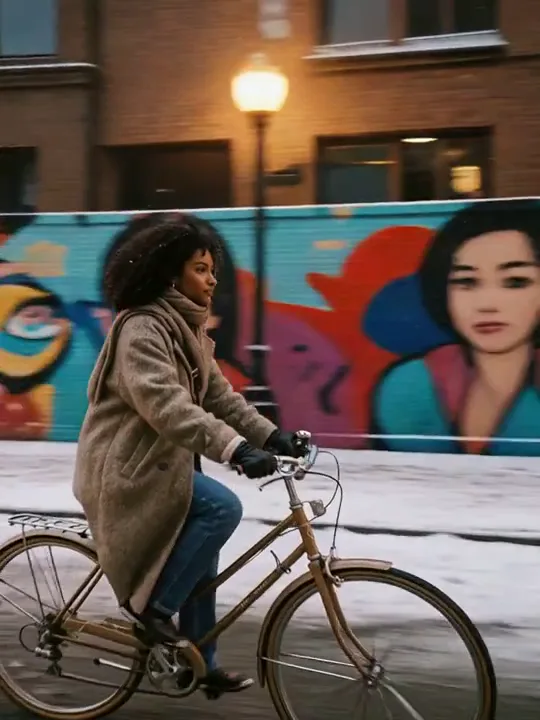
Make a coastal cycling moment the centerpiece of a short social video. Describe the rider’s direction, the open road, and a steady tracking camera. A flow ai video generator prompt works best when the action is easy to picture. For veo3 flow inspiration, choose framing that leaves space ahead of the subject. Give the flow a clear direction, then shape the final flow with captions in your own editor.
- Reserve space ahead
- Separate foreground and subject
- Hold the horizon steady

Flow-Inspired Video Creation, Your Choice of Model
Write a prompt, add a compatible reference, and work with the generation controls already available in King AI.
Flow Veo 3 Text Prompts
Turn a flow veo 3 idea into a video prompt describing subject, action, setting, and camera. Direct the visual flow with plain language, then generate using the selected model’s supported inputs.
Veo 3 Flow References
Give your veo 3 flow concept a visual starting point. Upload an image for a compatible model, check its preview, and describe the intended motion. Guide the flow without rebuilding the subject in words.
Veo3 Flow Model Choices
Explore a veo3 flow idea with the model choices shown in the generator. Compare input requirements and access conditions before submitting. Keep your creative flow flexible without assuming every option has identical capabilities.
Flow AI Video Generator Inputs
Check which inputs the selected model accepts before writing a longer prompt. A flow ai video generator workflow may begin with text or an image; the displayed controls determine the available flow.
Veo Automation, Human Decisions
Treat veo automation as a planning topic here: reusable briefs and manual review, not unattended jobs. A reliable flow still needs someone to choose inputs, submit requests, and judge the resulting clip.
Preview and Download Your Clip
Follow task progress in the generator, then play the completed clip and inspect its motion. Listen when audio is available. Download the result you want to keep for editing, sharing, or a later project.
How to Generate Your First Video
Choose an available model, describe your scene, and save the completed clip.
- 1
Choose Your Starting Point
Select Free and Video for an eligible no-login attempt. Standard has separate access conditions. Begin your veo3 flow with a compatible model and input; the page title does not select Veo for you.
- 2
Add Your Prompt and Generate
Preview the image when required, describe subject and camera movement, then inspect available settings. Submit once and follow the displayed status. For a veo3 flow experiment, keep dialogue separate from ambience when audio is supported.
- 3
Play and Download the Result
Compare the result against the brief and download the useful clip. Keep the flow moving by changing one weak detail next. Assemble separate shots in your own editor rather than assuming a built-in timeline.
How do I create a Flow Veo 3 video?
Choose a model and a supported input mode in the generator above. Describe your scene or upload a reference, check the available settings, then submit. A flow veo 3 prompt should specify the subject and action. This flow ai video generator shows task progress; preview the completed clip before downloading it. Keep the flow focused on one scene per request.
Does Free, No Login include every model?
No. The heading describes the available King AI Free entry point, not a promise that a particular Veo model is free or anonymous. Select Free in the workspace and check the current model requirements and availability. Standard keeps its own login and credit conditions. A flow should begin with those visible conditions; searching for veo 3 flow does not change the selected provider, allowance, or account requirements.
Can I generate veo3 flow video from an image?
Text leaves the starting appearance more open, while an image supplies a concrete visual reference. Choose according to the selected model rather than assuming every option accepts both. For a veo3 flow image brief, spend your words on the requested movement instead of redescribing every object. The flow becomes easier to inspect when the source image is uncluttered and the important silhouette is visible before anything moves.
Can a flow ai video generator connect several scenes?
Plan separate shots with compatible framing and then assemble downloaded clips in an editor. This flow ai video generator produces individual results; it does not promise the scene assembly tools available in other products. A flow ai video generator brief can still anticipate a cut by leaving similar space around the subject. Keep the flow coherent through your own shot list, and check continuity rather than assuming two independent generations will match.
Does this generator provide veo automation?
Searches for veo automation often lead to browser extensions that advertise prompt queues and automatic downloads within Google Flow. This page does not install or provide those extensions. Here, keep a reusable brief, record settings, and review each request manually. That veo3 flow reduces forgotten steps without unattended generation. Extension pricing or a no-account claim should not be confused with the underlying service’s access requirements.
How do I compare veo3 flow variations fairly?
Choose one question for each pair: does a calmer camera improve the action, or does a tighter crop make the subject clearer? In a veo3 flow comparison, changing both makes the result harder to interpret. Record which input and setting changed. Preserve the strongest version locally before another attempt, and let the flow stop when the shot already communicates its purpose rather than chasing endless cosmetic differences.
What belongs in a veo 3 flow reference folder?
Keep the original image, a short description of the intended subject, and notes about details that must survive movement. A veo 3 flow folder might track the bottle stopper and outline rather than every reflection. Store these files yourself; the page does not promise a permanent asset library. A compact flow archive helps you revisit decisions without relying on temporary result links or trying to reconstruct an earlier prompt.
How much camera motion suits a veo3 flow draft?
Use the smallest movement that answers the creative question. A gentle lateral move may reveal the product more clearly than a full orbit. With veo3 flow studies, watch whether the background and subject move in a believable relationship. Reduce competing directions when the action breaks down. A restrained flow gives you a useful baseline before experimenting with stronger perspective changes, faster movement, or a more complicated environment.
How do Flow, Veo 3, and veo3 flow differ?
Flow names Google’s creative application, while Veo 3 names a generation model; veo3 flow is a common combined search spelling. A flow veo 3 tutorial may therefore describe application tools as well as model output. Those are different layers. Newer versions can change supported inputs or controls, so check the active selection rather than following an old screenshot. King AI keeps its own model choices and access conditions.
Can I reuse a veo3 flow prompt for another format?
Reuse the intention, but reconsider the composition. A landscape shot with generous empty space may lose its subject when cropped vertically. For a veo3 flow adaptation, check where the subject enters and exits, and leave room for titles you will add later. Your flow should follow the destination frame rather than merely repeat the original wording. Use only the aspect ratios supported by the selected model.
What should I do when a request waits or fails?
Read the displayed status and error before submitting another request. Shared capacity and input requirements can affect availability; a longer wait is not evidence that the prompt needs more words. Save your flow prompt and source for a deliberate retry. Do not assume a failed attempt has produced a downloadable file, and check the active channel before switching to an option with different credit conditions.
Are these illustrations actual video results?
The three illustrations are independently generated planning concepts, not frames proving any model’s performance. Use them to understand framing, reference identity, and movement rather than as expected output. A veo3 flow result will depend on the actual selected model and input. Review your own sequence from beginning to end, save any clip you need, and verify its downloaded file before treating the flow as finished.
Does veo automation here include scheduled or batch requests?
No scheduled runs or bulk submission controls are added by this page. Distinguish veo automation software from a reusable checklist: veo automation requires actual task execution. For a veo3 flow session, prepare several briefs offline but submit and assess them individually. Keep track of unfinished work yourself, and avoid duplicate requests while an earlier task is still pending. An organized flow is not an unattended queue.
Can veo automation publish my clips automatically?
This page provides no veo automation publishing controls. Download the selected clip, confirm that it plays correctly, and review any captions or claims before sharing it through your chosen channel. A veo3 flow draft can inform the final edit, but it should not bypass that review. Keep a local copy of the approved version so the creative flow ends with a file you have actually checked.
What settings should a flow ai video generator brief record?
Record the selected model, input image when used, prompt, and whichever output controls are available. A flow ai video generator comparison becomes easier when those notes sit beside the downloaded clip. For veo3 flow planning, mark unsupported settings as unavailable instead of assuming another product’s options exist here. Reopen your notes before the next attempt so a remembered preference does not silently change the comparison.
Can a clip include dialogue or environmental sound?
Google describes native audio as a Veo capability, but sound availability depends on the model and feature being used. For a veo3 flow brief, write speech, background ambience, and visible action as separate instructions. In this workspace, check whether the selected option supports audio before expecting it. Listen to the actual result; review timing and clarity, or add sound separately in your editor when needed.