Photo editing in ChatGPT
Edit Any Photo by Describing the Change
AI Image Editor by King AI edits your photos right inside ChatGPT. Upload an image, say what should change and what must stay the same, and confirm the credit total in the King AI card. Restyle it, swap the background, change the season, or start from scratch with a text prompt.
- Restyle, relight, or replace backgrounds with a written instruction
- Keep the subject, framing, and composition you care about
- No photo? Create a new image from text in the same card
- See the exact credit total before anything is charged
No subscription required. Each edit uses credits from your King AI account, and the card shows the total first. One square 1K GPT Image 2 edit costs about 24 credits, the same as an image from text.
From Your Photo to the Edited Picture
Three steps
The King AI card puts the image you want to edit first. Nothing is generated or charged until you press Generate.
- 1
Add the Image to Edit
Type @AI Image Editor in ChatGPT and ask for an edit. Upload the photo in the highlighted box, or pick one you uploaded before. Skip it to create a new image from text.
- 2
Describe the Edit and Check the Total
Say what should change and what must stay the same. Pick the model, aspect ratio, resolution, and number of images; the button shows the credit total.
- 3
Generate and Get the Edited Image
Press Generate once. The card shows progress, then the edited picture appears in place with download and open-original buttons.
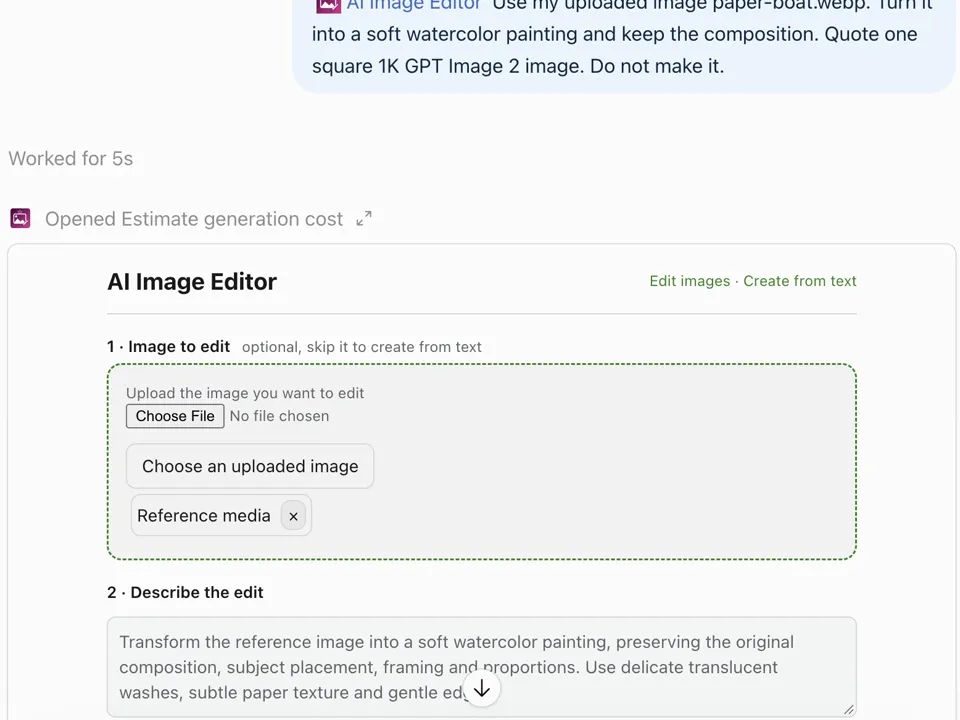
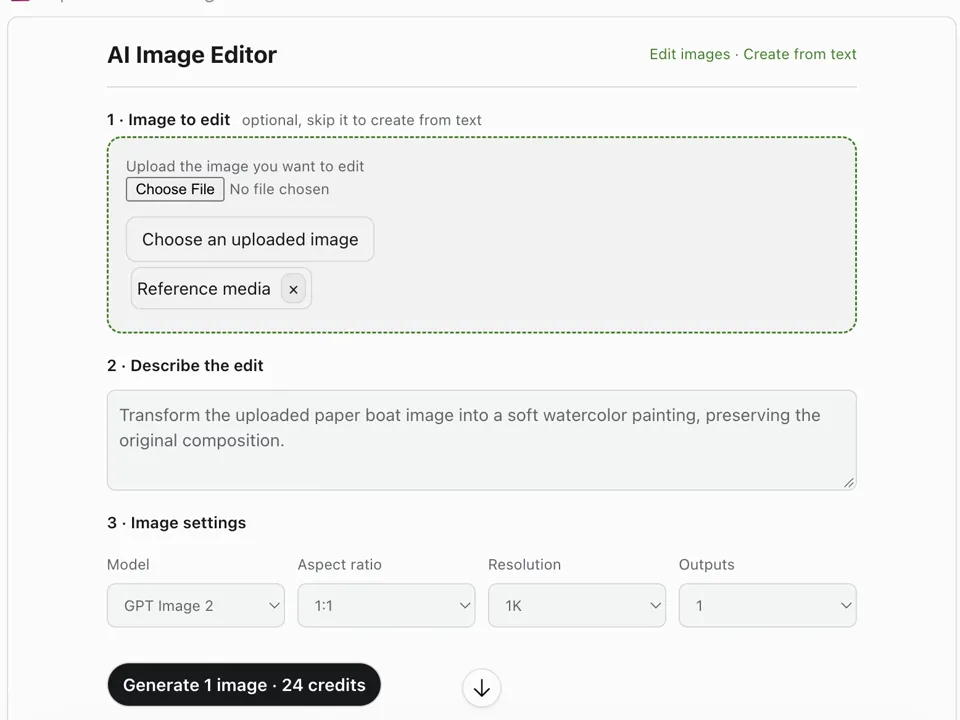
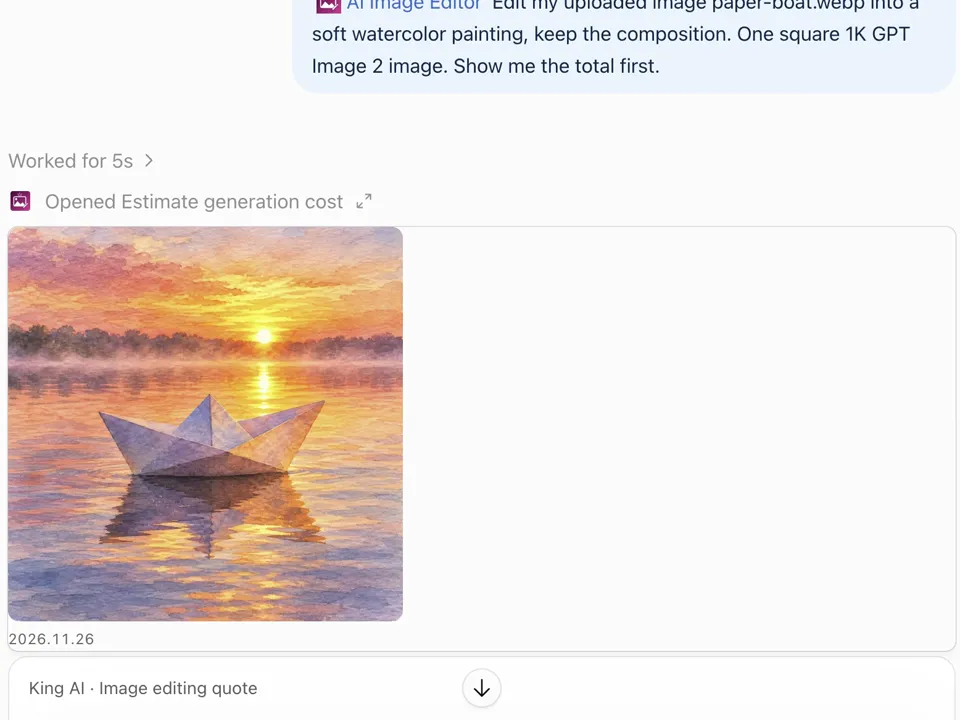
Made with King AI
Edits You Can Ask For
The watercolor boat is the edit from our ChatGPT test, made from a single photo. The others were made with King AI image models, each paired with an edit request in the same spirit.
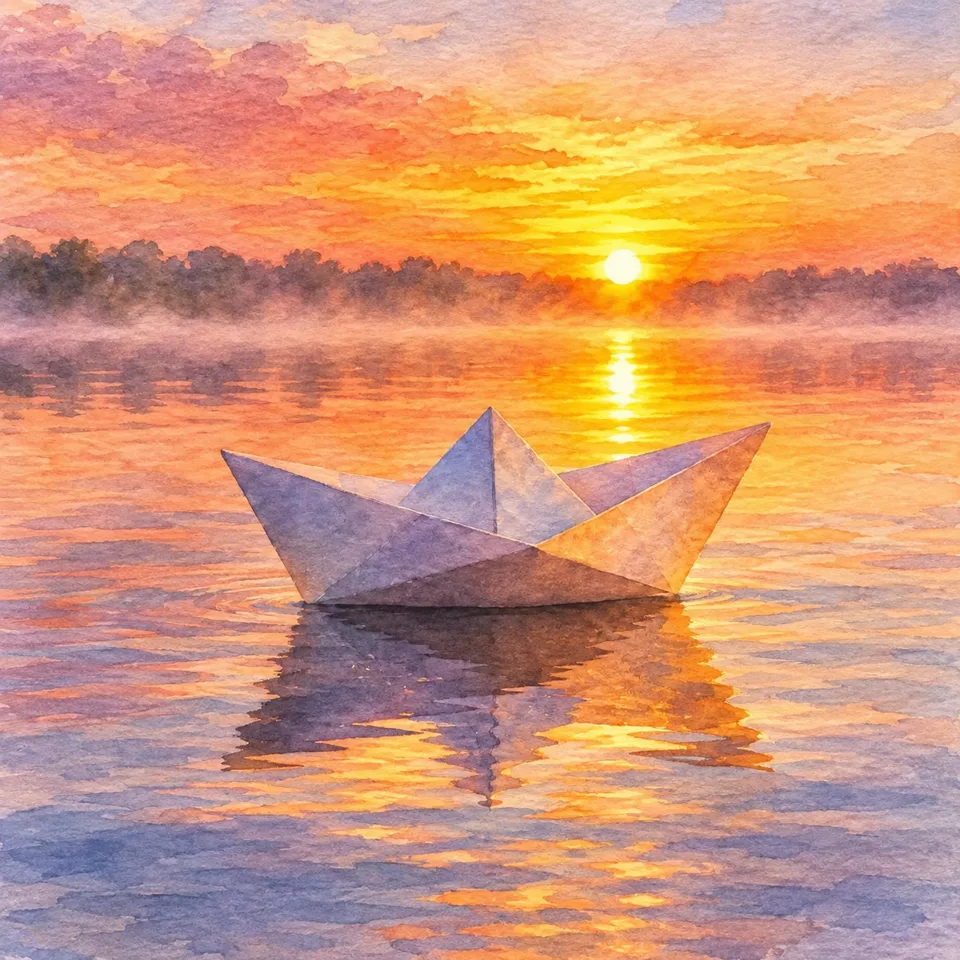
Photo to Watercolor
Try asking
“Edit my uploaded image paper-boat.webp into a soft watercolor painting and keep the composition.”
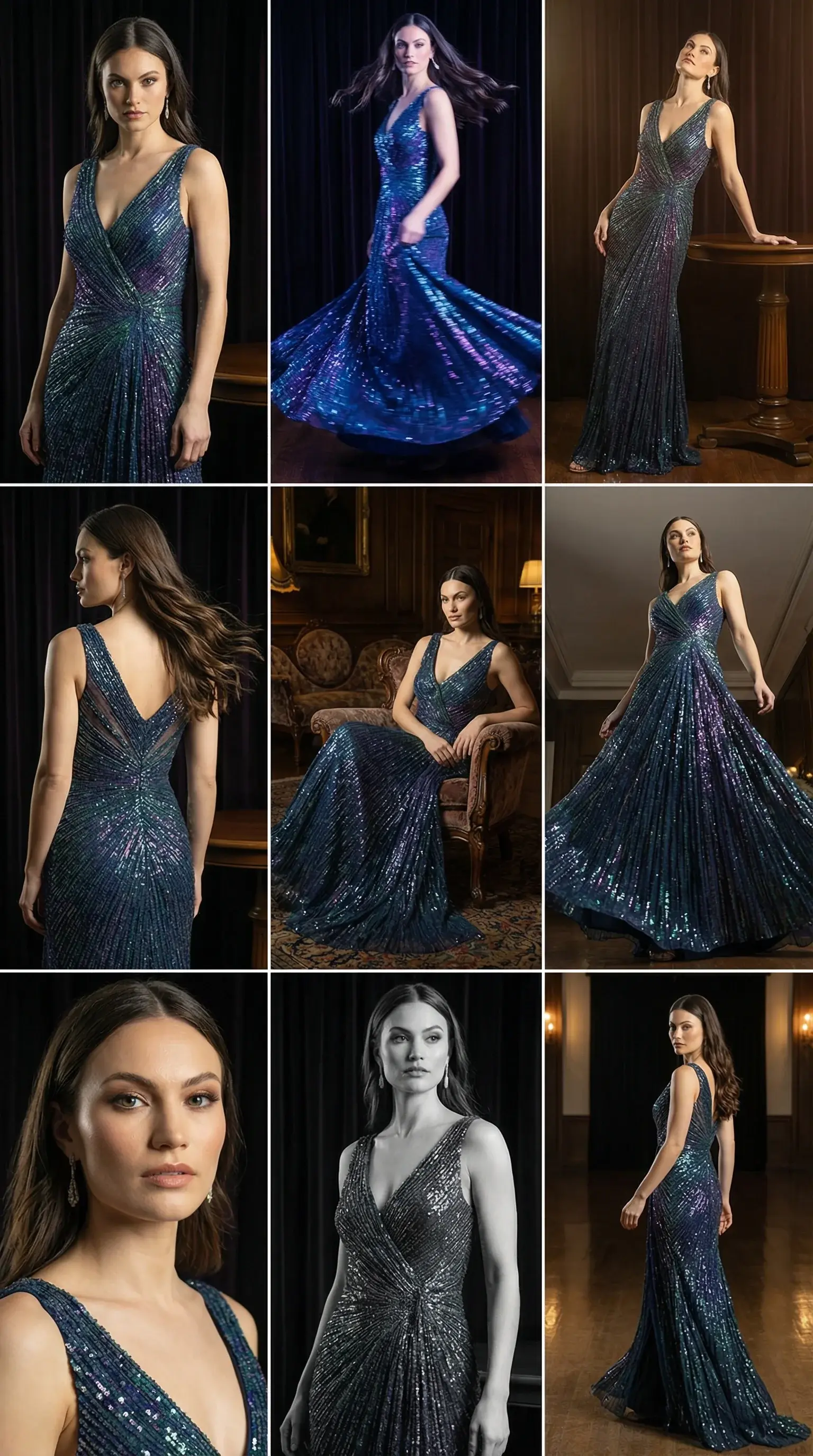
Outfit on a Model
Try asking
“Use my dress photo and show it on a model in six poses. Keep the fabric, color, and sequins exactly the same.”
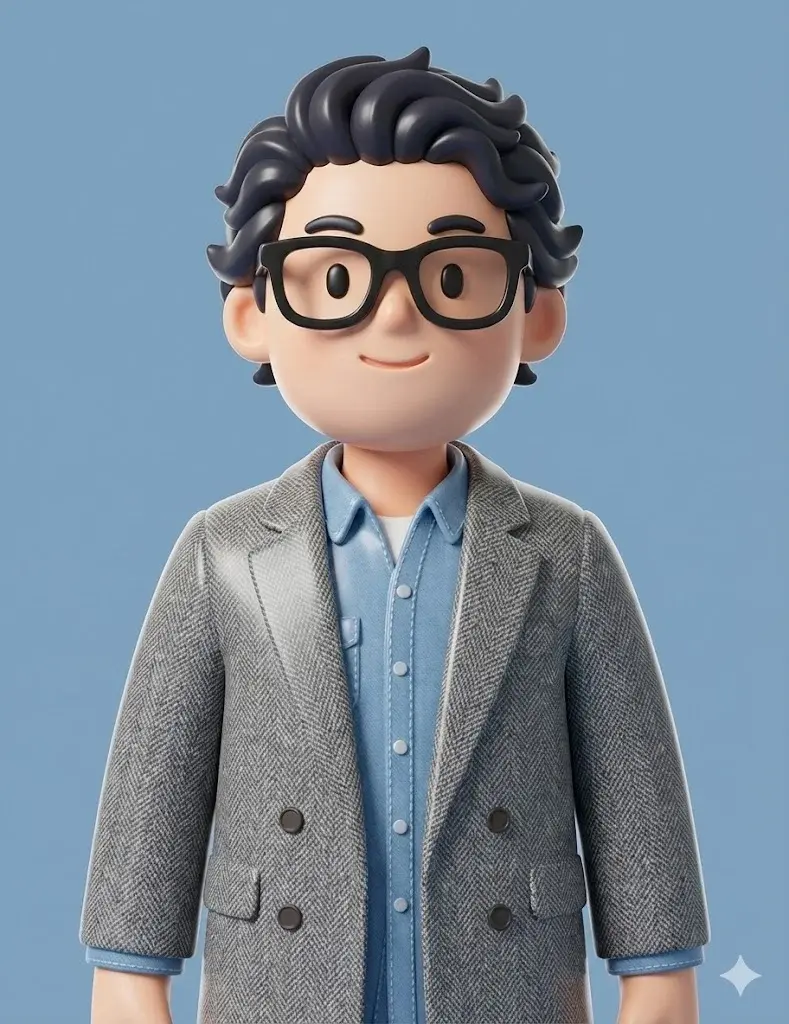
Portrait to 3D Avatar
Try asking
“Turn my portrait into a friendly 3D cartoon avatar. Keep my glasses, hairstyle, and gray blazer.”
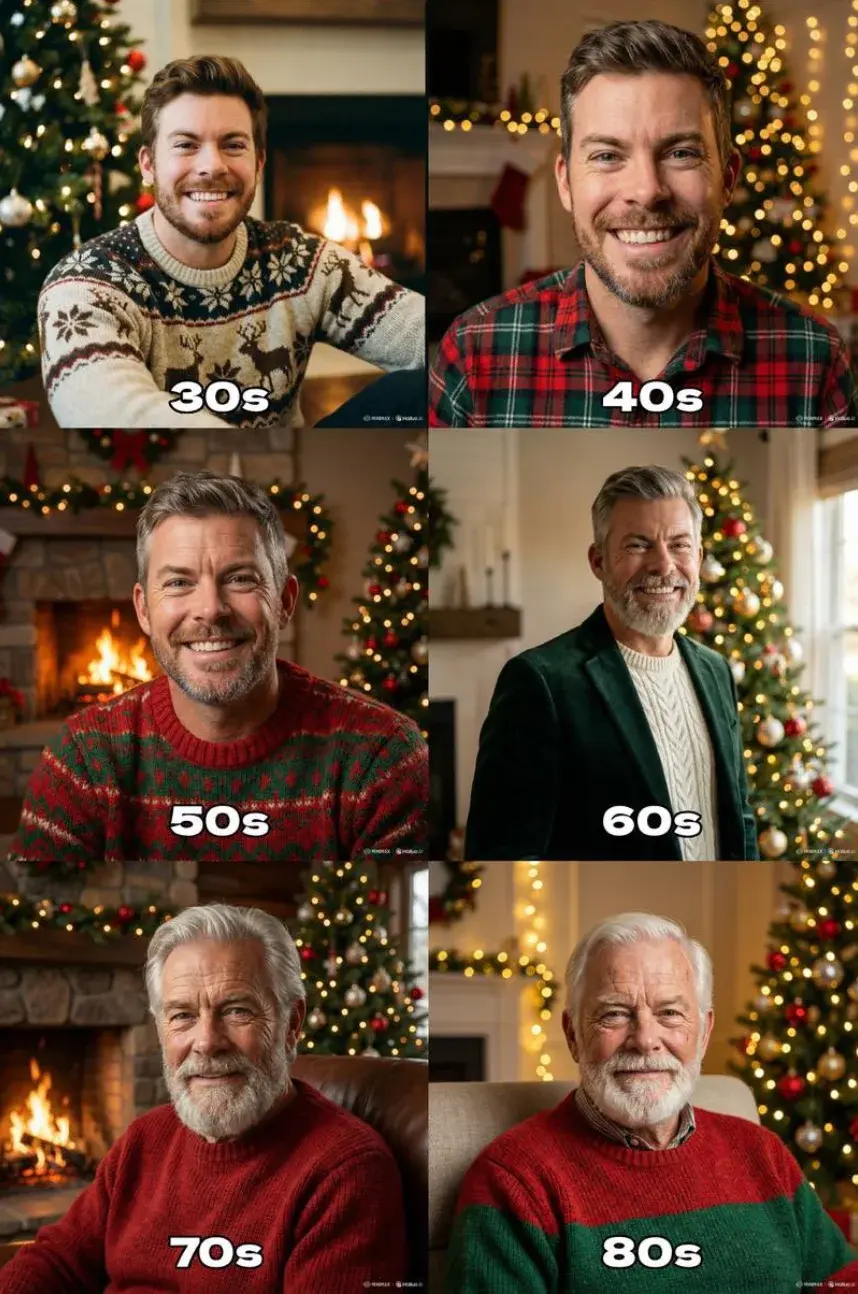
Through the Decades
Try asking
“Use my holiday portrait and show me in my 30s through my 80s in a grid. Keep the room and sweater style.”
Editing tips
Get the Edit Right on the First Try
Say what changes and what stays
Edits work best when you name both. "Change the background to a white studio; keep the bottle, label, and shadow" leaves no room for guessing.
Replace the background with a clean white studio. Keep the product, label, and its shadow unchanged.
One clear change at a time
Ask for one main change per edit, check the result, then build on it. Stacking many changes in one prompt makes the model guess which matters most.
First: make it a snowy winter evening. Then, in the next edit: add warm light in the windows.
Keep the shape of your photo
Choose the aspect ratio that matches your photo so nothing is cropped or stretched: 1:1 for square, 3:4 or 9:16 for portraits, 16:9 for landscapes.
My photo is a vertical portrait, so keep it 3:4. Turn it into a soft pencil sketch.
No photo? Describe the whole picture
Skip the image to edit and describe the subject, setting, light, and style. The same card creates a new image from text.
No photo. A cobalt-blue perfume bottle on pale stone, soft window light, square, no text.
What is AI Image Editor?
It is a ChatGPT plugin by King AI that edits photos with AI image models. You add an image, describe the change, review the credit total in the King AI card, and the edited picture appears in the same chat.
How do I edit a photo in ChatGPT?
Type @AI Image Editor, choose the plugin, and describe the edit. Upload the photo in the highlighted box of the King AI card or pick one you uploaded before, then click Generate once the settings and total look right.
Can it create images without a photo?
Yes. Skip the image to edit and describe the picture you want. The plugin creates a new image from text with the same models and settings.
How much does one edit cost?
It depends on the model, resolution, and number of images. The card shows the total before you confirm. For example, one square 1K GPT Image 2 edit costs about 24 credits.
Which models can edit images?
Models that accept reference images, including GPT Image 2, Nano Banana 2, Nano Banana Pro, Seedream 5 Pro, Qwen Image 3, Flux 2 Pro, and Flux 2 Flex. Ask the plugin to list models to see what is available right now.
Will ChatGPT spend my credits on its own?
No. ChatGPT can only prepare the settings and show the total. An edit is made only when you click Generate in the card, and each click creates exactly one task.
Can this plugin make videos?
No. AI Image Editor creates still images only. To turn a photo into a moving clip, use the separate AI Image to Video plugin.
How long does an edit take?
Usually a few minutes; our test edit took about 3 minutes. The card shows progress and then the edited image, which is also saved in My Images on king-ai.net.
What happens to the photos I upload?
They are stored in your King AI account so you can reuse them, and are only used to make the edits you confirm. See the King AI privacy policy for details.