Photo to Video AI for ChatGPT
Turn Any Photo Into a Video, Right in ChatGPT
Photo to Video AI by King AI takes the photo you already have and turns it into a short video that starts from your shot. Say what should happen in plain words, check the credit total in the King AI card, and the finished clip plays in the same chat. No photo yet? Describe a scene and make the video from text.
- Bring travel shots, pet photos, family pictures, and selfies to life
- Your photo becomes the first frame, so faces and details stay familiar
- No photo? Text to video works in the same card
- See the exact credit total before anything is charged
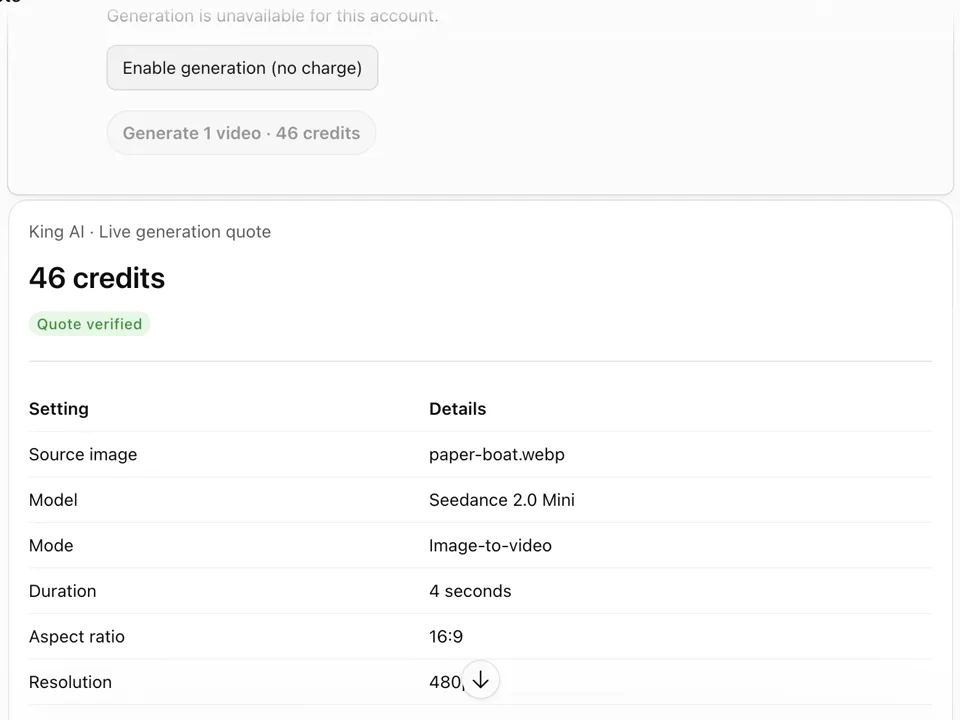
No subscription required. Each video uses credits from your King AI account, and the card shows the total first. A 4-second 480p Seedance 2.0 Mini video from a photo costs about 46 credits, the same as from text.
How Photo to Video AI Works in ChatGPT
Three steps
Your photo goes first in the King AI card. Nothing is made or charged until you press Generate.
- 1
Add Your Photo
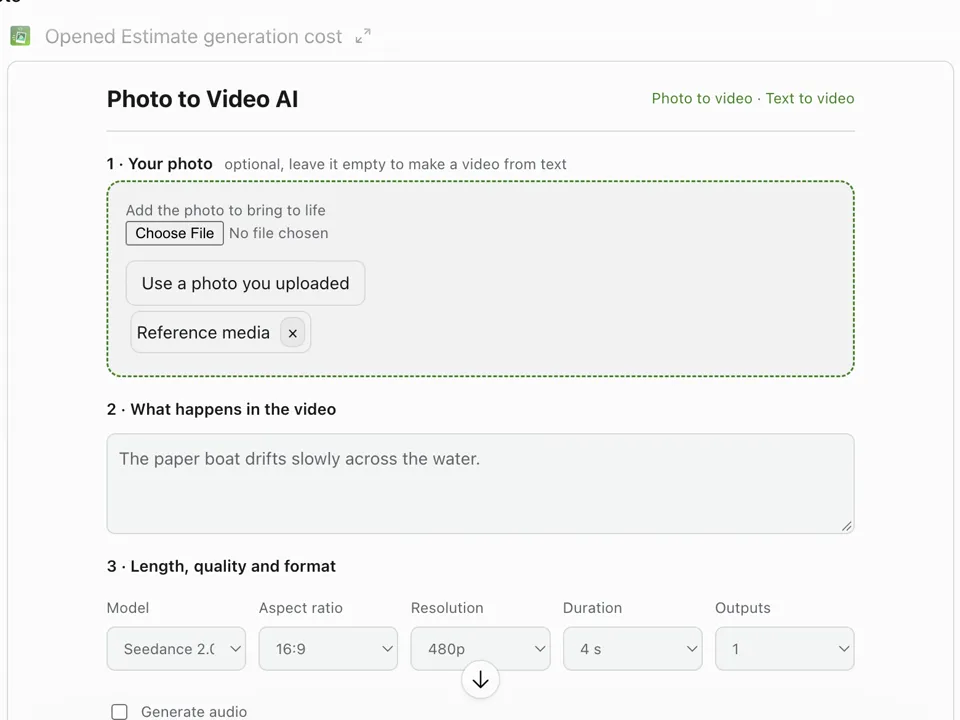
Type @Photo to Video AI in ChatGPT and say you want to turn a photo into a video. Add it in the Your photo box, or reuse a photo you uploaded before. Leave it empty to make a video from text.
- 2
Say What Happens and Check the Total
Describe who moves, how the camera moves, and the mood. The card lists the model, aspect ratio, resolution, length, and the credit total for your settings.
- 3
Generate and Watch Your Photo Come Alive
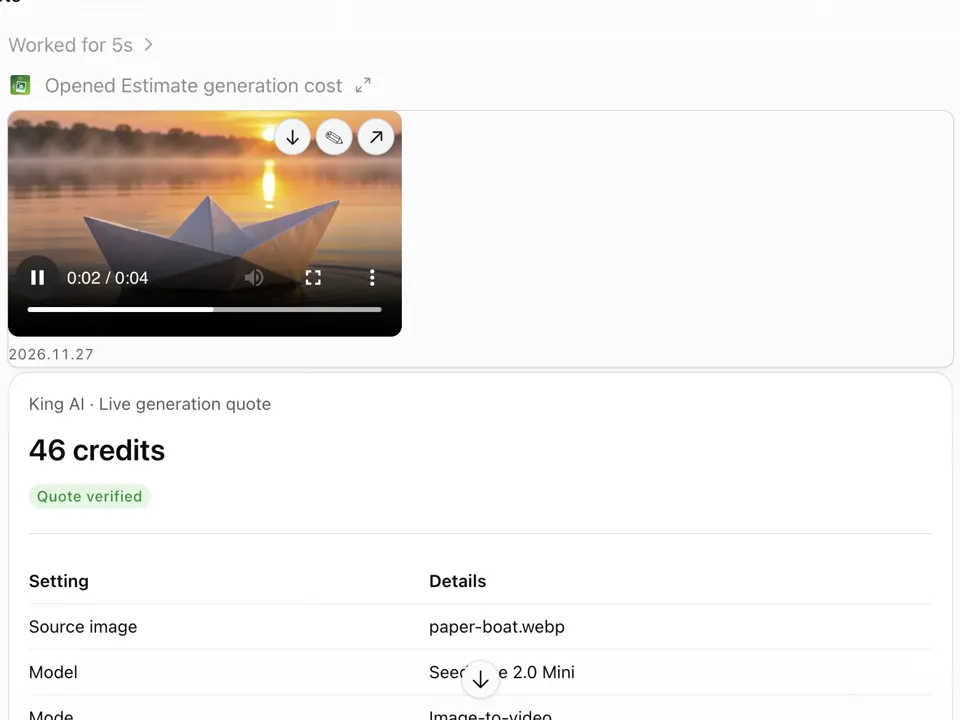
Press Generate once. The card shows Queued, then Processing, and the video plays in place, starting from your photo, with download and open-original buttons.
Made with King AI
Photos Brought to Life
The paper boat is the video from our ChatGPT test, made from one still photo. The others were made with King AI video models, each with a request you could send about your own photo.
Paper Boat Photo to Video
Try asking
“Bring my photo paper-boat.webp to life: the boat drifts slowly across the water. One 4-second 16:9 video at 480p.”
Sunset Beach Sparklers
Try asking
“Turn my beach photo into a video: she lifts the sparklers, sparks fly, and the waves roll in at sunset.”
Skatepark Motion
Try asking
“Make my skatepark photo move: he rolls forward on the board while the camera tracks alongside. 5 seconds.”
Winter to Summer
Try asking
“Start from my winter photo and let the snow melt into a green summer scene, same spot, slow camera push-in.”
Prompt tips
Tips for Better Photo to Video Results
Say what happens, not what is there
Your photo already shows the people, place, and colors. Use your words for the action: who moves, how fast, and what the camera does.
My dog tilts its head and wags its tail; the camera stays still. 4 seconds.
Keep the action small and believable
Short clips look best with one or two simple movements. A smile, a turn of the head, or waves rolling in reads better than a whole story.
She turns toward the camera and smiles while her hair moves in a light breeze.
Match the shape of your photo
Phone photos are usually vertical, so pick 9:16; landscape shots suit 16:9 and square photos 1:1. Or choose adaptive so nothing is cropped.
My travel photo is vertical, so make it 9:16. Clouds drift and the flags flutter, 5 seconds.
No photo yet? Describe the whole scene
Leave the photo box empty and describe the subject, place, light, and camera move. The same card makes the video from text.
No photo. Paper lanterns float up into a night sky over a quiet lake, slow upward pan. 16:9, 4 seconds.
What is Photo to Video AI?
Photo to Video AI is a ChatGPT plugin by King AI that turns your photo into a short AI video. You add a photo, say what should happen, review the credit total in the King AI card, and the video plays in the same chat.
How do I turn a photo into a video in ChatGPT?
Type @Photo to Video AI, choose the plugin, and say you want to turn a photo into a video. Add the photo in the Your photo box of the King AI card or reuse one you uploaded before, describe what happens, and click Generate when the total looks right.
Can I make a video without a photo?
Yes. Leave the photo box empty and describe the whole scene. Photo to Video AI makes the video from text with the same models and settings.
How much does one video cost?
It depends on the model, resolution, length, and audio, and the card shows the total before you confirm. For example, a 4-second 480p Seedance 2.0 Mini video costs about 46 credits, with or without a photo.
Which photos work best?
Sharp JPG, PNG, or WebP photos with one clear subject, between 300 and 6000 pixels per side and not extremely wide or tall. Photos up to 30 MB can be uploaded.
Will ChatGPT spend my credits on its own?
No. ChatGPT can only prepare the settings and show the total. A video is made only when you click Generate in the card, and each click creates exactly one task.
Can it give me an edited still photo instead?
No. Photo to Video AI creates videos only. For still images, use the separate AI Image Editor or AI image generator by KING AI plugins.
How long does a video take?
Usually a few minutes, sometimes longer when the provider is busy; our 4-second test video took about 6 minutes. The card shows Queued and then Processing, and your videos are also saved in My Videos on king-ai.net.
What happens to the photos I upload?
They are stored in your King AI account so you can reuse them, and are only used to make the videos you confirm. See the King AI privacy policy for details.