King AI in ChatGPT
Make AI Videos Without Leaving ChatGPT
Describe a scene in plain English and AI Video Generator King turns it into a short video or a still image, right inside your ChatGPT conversation. Choose the model, aspect ratio, resolution, and duration, check the credit total, and confirm only when you are ready.
- Text to video and text to image from one chat
- Animate a product photo or portrait with image to video
- See the exact credit total before anything is charged
- Follow progress and play the finished video in the chat
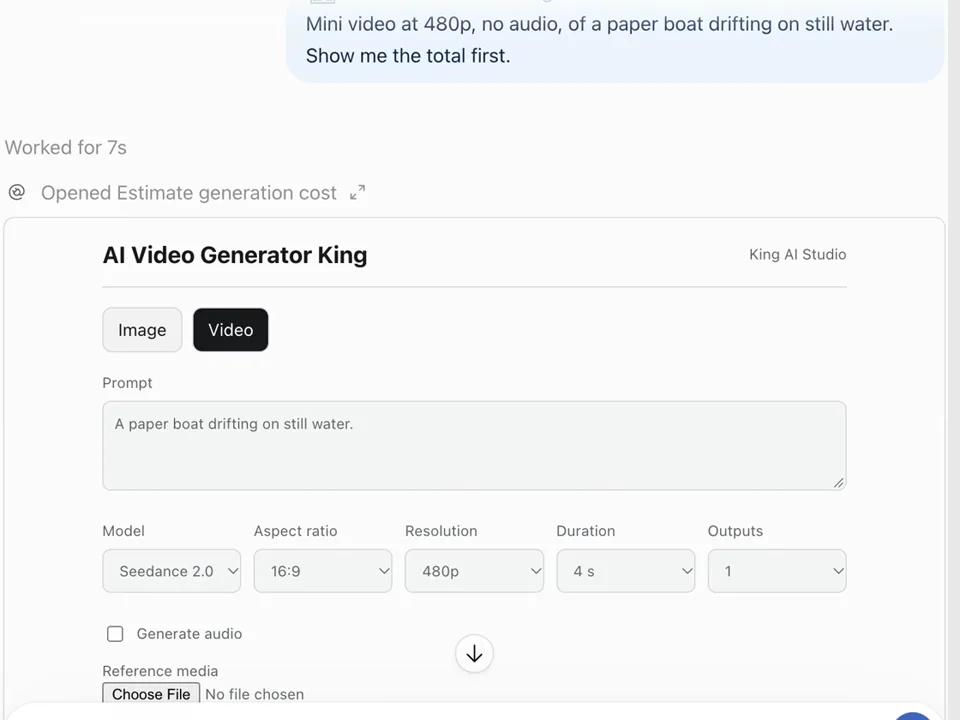
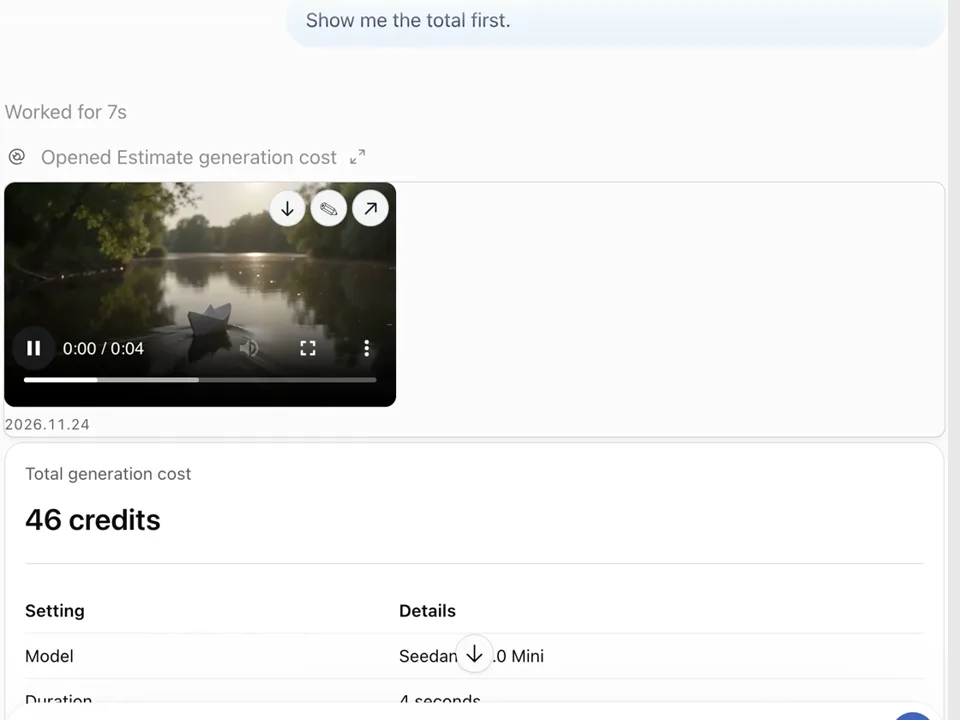
No subscription required. Generation uses the credits in your King AI account, and the card shows the total for your settings before you confirm. A 4-second 480p Seedance 2.0 Mini video costs about 46 credits.
From a Chat Message to a Finished Video
Three steps
The plugin never spends credits on its own. ChatGPT prepares the settings, and you confirm the generation yourself in the King AI card.
- 1
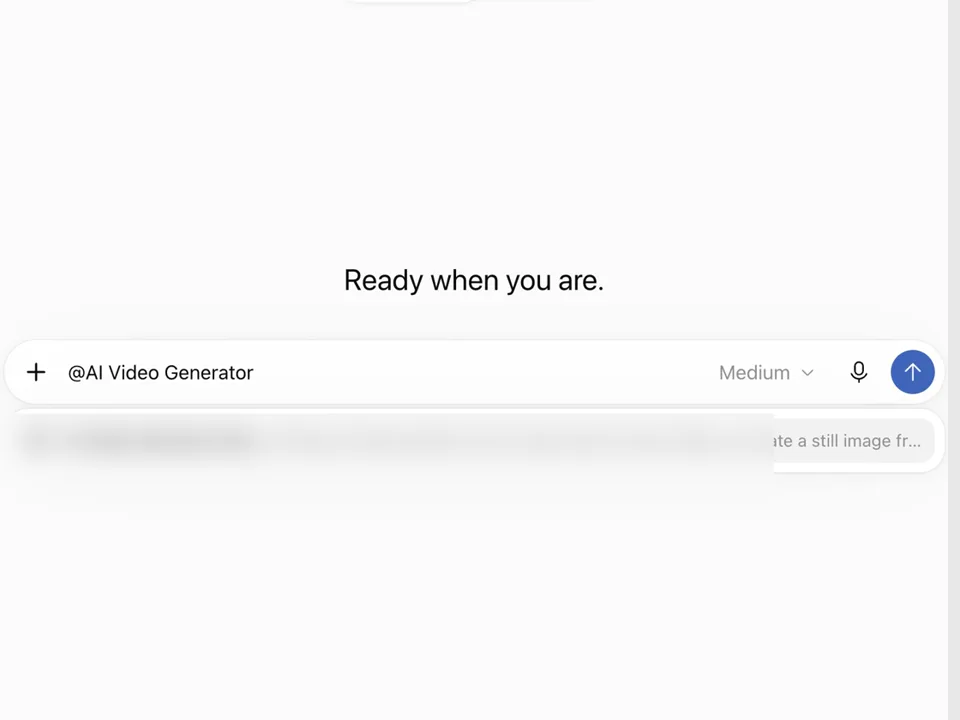
Connect AI Video Generator King
In ChatGPT, type @AI Video Generator King or add it from the plugin directory, then sign in to your King AI account once to connect it.
- 2
Describe It and Check the Total
Ask for a video or an image in your own words. The King AI card fills in the prompt, model, aspect ratio, resolution, and duration, and shows the credit total. Change any setting before you go on.
- 3
Confirm and Watch It Arrive
Click Generate in the card once. The same card shows Queued, then Processing, and the finished video plays in place, ready to download.
Made with King AI
Ideas to Ask For
Clips made with King AI video models. Each card pairs one with a request in the same spirit that you can send to AI Video Generator King in ChatGPT.
Fashion Walk
Try asking
“Make a 5-second 9:16 video of a woman in a black outfit walking toward the camera down a softly lit hallway.”
Sunset Beach Sparklers
Try asking
“Create a 3:4 clip of someone raising two glowing sparklers on a beach at sunset, with a slow push-in.”
Studio Orbit Portrait
Try asking
“Animate my portrait photo: the camera slowly circles a seated model against a warm brown studio backdrop.”
Aquarium Portrait Motion
Try asking
“Make a calm 5-second video of a woman raising her hand beside a blue aquarium as fish swim behind the glass.”
Prompt tips
Get Better Results on the First Try
Write the shot, not just the subject
Name the subject, the action, the setting, the camera move, and the light. "A paper boat drifting on still water at sunrise, low camera, slow push-in" beats "a boat".
A ceramic mug on a wooden table, steam rising, morning window light, slow orbit around the mug, 16:9.
Add a photo to keep the look
Attach a product shot or portrait in the King AI card and describe only what should move. The model keeps the shape, colors, and label of what is in the photo.
Use my photo. Keep the bottle and label unchanged; the camera slowly turns around it while soft light sweeps across.
Keep on-screen text short
AI video is not reliable for long words, prices, or links. Ask for clean space and add final text in an editor, or keep any text to one to three large words.
No text, captions, or logos. Leave empty space in the upper third for a title.
Test cheap, then go big
Try a short 480p version first to check the motion, then ask for the same scene at a higher resolution or longer duration once it looks right.
Same scene as before, but 1080p and 8 seconds. Keep everything else the same.
How do I make AI videos in ChatGPT?
Connect AI Video Generator King in ChatGPT, then describe the video you want, for example "Make a 5-second 16:9 video of a paper boat drifting on still water". The King AI card shows the settings and the credit total. Click Generate in the card, and the finished video appears in the same card.
Do I need a subscription to use the plugin?
No. The plugin uses the credits in your King AI account. You can top up with a subscription or a one-time credit pack on king-ai.net. The plugin itself never sells credits or charges a saved card.
How much does one video cost?
It depends on the model, resolution, duration, and whether audio is on. The card always shows the total before you confirm. For example, one 4-second 480p Seedance 2.0 Mini video without audio costs about 46 credits.
Which models can I use from ChatGPT?
Video uses King AI Seedance models, including Seedance 2.0, Seedance 2.0 Fast, Seedance 2.0 Mini, and Seedance 2.5, with durations from 4 seconds up to 30 seconds on Seedance 2.5. Images use models such as GPT Image 2. Ask the plugin to list models to see what is available right now.
Can it turn a photo into a video?
Yes. Add a reference photo in the King AI card and describe how it should move. Models that support image to video keep the subject from your photo while adding motion and camera movement.
Will ChatGPT spend my credits without asking?
No. ChatGPT can only prepare a plan and show the total. A generation starts only when you click Generate in the card, and each confirmation creates exactly one task.
How long does a video take?
Usually a few minutes. The card shows Queued while the job waits for the provider and Processing while it renders, then plays the finished video. You can keep chatting while it works.
How do I disconnect the plugin?
In ChatGPT, open Settings, find AI Video Generator King under your connected apps, and disconnect it. Signing out of King AI also ends the connection. Your videos stay in My Videos on king-ai.net.
What data does the plugin use?
Only what it needs to generate: your prompt, the settings you choose, any reference files you add, and your King AI account to check credits and save results. See the King AI privacy policy for details.