Photo to video in ChatGPT
Bring Your Photos to Life in ChatGPT
AI Image to Video turns a still photo into a short moving clip right inside your ChatGPT conversation. Add a start image, say how it should move, and confirm the credit total in the King AI card. No photo handy? Describe the scene and it creates the video from text instead.
- Start from a product shot, portrait, or landscape photo
- Describe the motion and camera move in plain English
- No photo? Text to video works in the same card
- See the exact credit total before anything is charged
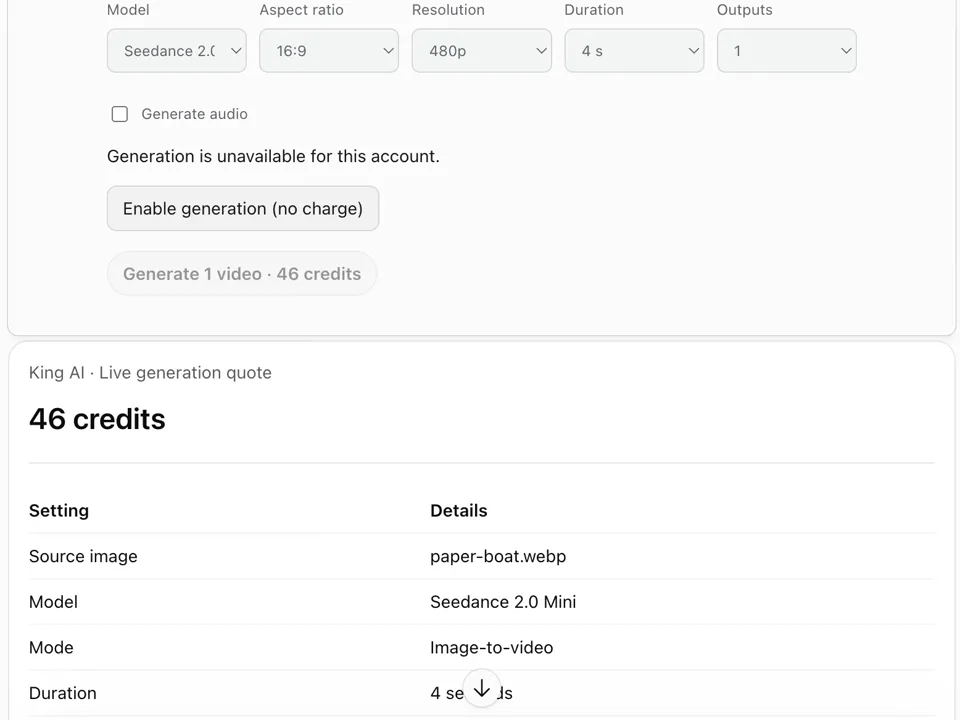
No subscription required. Each clip uses credits from your King AI account, and the card shows the total first. A 4-second 480p Seedance 2.0 Mini clip from a photo costs about 46 credits, the same as from text.
From a Still Photo to a Moving Clip
Three steps
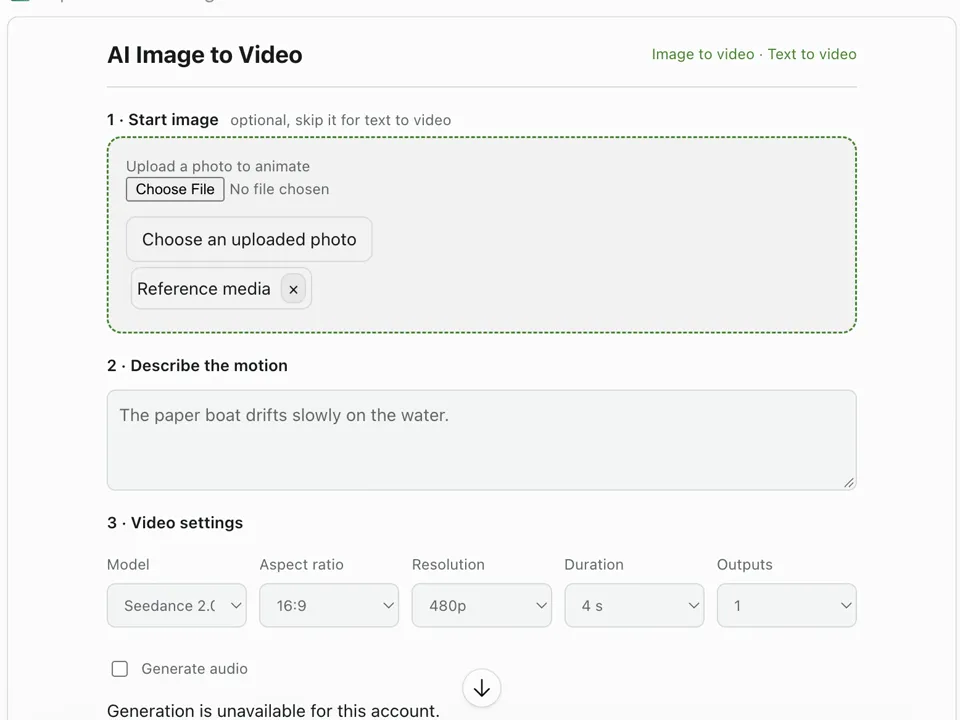
The King AI card puts your photo first. Nothing is rendered or charged until you press Generate.
- 1
Add Your Start Image
Type @AI Image to Video in ChatGPT and ask to animate a photo. Upload it in the highlighted Start image box, or pick a photo you uploaded before. Skip it to create from text.
- 2
Describe the Motion and Check the Total
Say how the photo should move and how the camera follows. The card shows the model, aspect ratio, resolution, duration, and the credit total for your settings.
- 3
Generate and Watch It Move
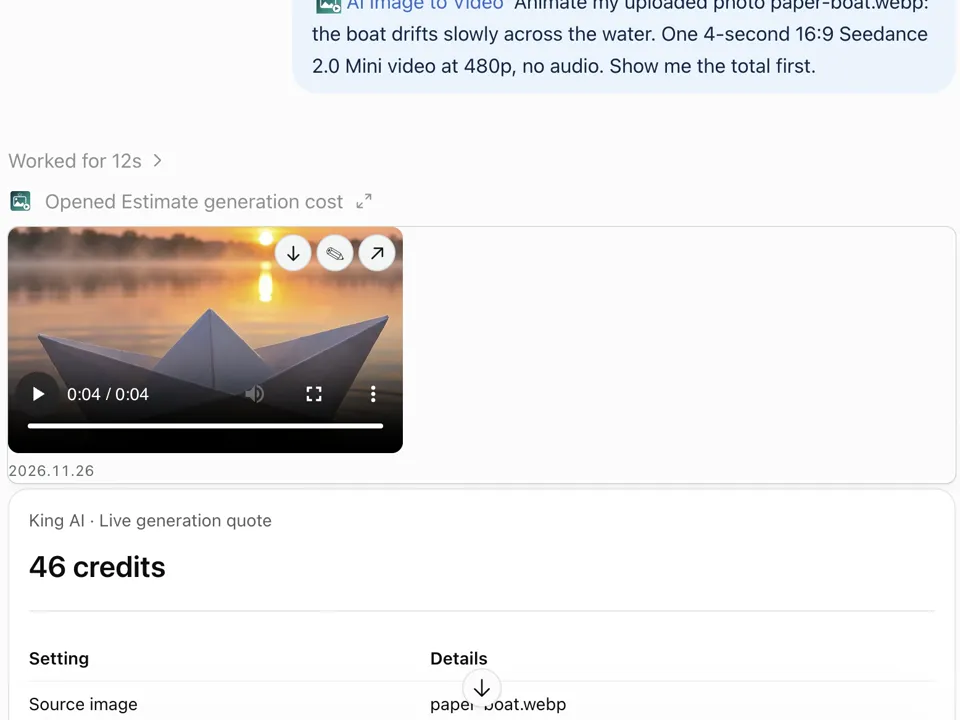
Press Generate once. The card shows Queued, then Processing, and the clip plays in place, starting from your photo, with download and open-original buttons.
Made with King AI
Photos That Started Moving
The paper boat is the clip from our ChatGPT test, made from a single still photo. The others were made with King AI video models, each paired with a photo-first request you could send.
Paper Boat Photo, Animated
Try asking
“Animate my photo paper-boat.webp: the boat drifts slowly across the water. One 4-second 16:9 video at 480p.”
Studio Orbit Portrait
Try asking
“Animate my studio portrait: the camera slowly circles the seated model against the warm brown backdrop.”
Aquarium Portrait Motion
Try asking
“Use my aquarium photo as the start image: she raises her hand as fish swim behind the glass. Calm, 5 seconds.”
Sunflower Garden
Try asking
“Bring my garden photo to life: she reaches toward the big sunflower while the camera slowly pushes in.”
Prompt tips
Get Natural Motion From a Still Photo
Describe only what should move
The photo already sets the subject, colors, and framing. Spend your words on the motion: what moves, how fast, and where the camera goes.
The boat drifts slowly to the left, small ripples spread out, the camera holds still. 4 seconds.
Pick a clear, well-lit start image
A sharp photo with one clear subject animates best. Avoid heavy filters, tiny subjects, and very wide panoramas; photos between 300 and 6000 pixels per side work.
Use my product photo on a plain background. Slowly rotate the bottle and keep the label readable.
Match the aspect ratio to your photo
Keep the same shape as your photo so nothing is cropped: 9:16 for phone photos, 16:9 for landscapes, 1:1 for square shots. Or choose adaptive.
My photo is vertical, so make it 9:16. Gentle hair movement and a soft smile, 5 seconds.
No photo? Write the whole scene
Skip the start image and describe the subject, setting, light, and camera move. The same card creates the video from text.
No photo. A glass marble rolls across a sunlit wooden table, low camera follows it. 16:9, 4 seconds.
What is AI Image to Video?
It is a ChatGPT plugin by King AI that turns a still photo into a short AI video. You add a start image, describe the motion, review the credit total in the King AI card, and the clip plays in the same chat.
How do I turn a photo into a video in ChatGPT?
Type @AI Image to Video, choose the plugin, and ask to animate a photo. Upload the photo in the Start image box of the King AI card or pick one you uploaded before, describe the motion, and click Generate once the total looks right.
Can it make a video without a photo?
Yes. Skip the start image and describe the whole scene. The plugin creates the video from text with the same models and settings.
How much does one video cost?
It depends on the model, resolution, duration, and audio. The card shows the total before you confirm. For example, a 4-second 480p Seedance 2.0 Mini clip costs about 46 credits, with or without a start image.
Which photos work best?
Sharp JPG, PNG, or WebP photos with a clear subject, between 300 and 6000 pixels per side and not extremely wide or tall. Photos up to 30 MB can be uploaded.
Will ChatGPT spend my credits on its own?
No. ChatGPT can only prepare the settings and show the total. A video is created only when you click Generate in the card, and each click creates exactly one task.
Can it edit my photo into another still image?
No. AI Image to Video creates videos only. For still images, use the separate AI image generator by KING AI plugin.
How long does a video take?
Usually a few minutes, sometimes longer when the provider is busy; our 4-second test clip took about 9 minutes. The card shows Queued and then Processing, and your videos are also saved in My Videos on king-ai.net.
What happens to the photos I upload?
They are stored in your King AI account so you can reuse them, and are only used to make the videos you confirm. See the King AI privacy policy for details.